Introduction
In modern enterprise environments, security teams are heavily dependent on logs and real-time analysis to detect and respond to threats. As attacks grow more sophisticated, visibility across endpoints, network activity, and system behavior becomes critical for effective incident response.
The ELK Stack — consisting of Elasticsearch, Logstash, and Kibana — is widely by enterprises used for log aggregation, search, and visualization. From a security perspective, ELK enables analysts to correlate large volumes of telemetry, identify anomalous behavior, and reconstruct attack timelines during investigations.
In ransomware incidents, where attackers attempt to encrypt systems, pivot across systems and perform lateral movement across network, disrupt recovery mechanisms, and communicate with external infrastructure, log data becomes one of the most reliable sources of evidence. ELK provides the ability to query, filter, and visualize this data, making it a valuable tool for Security Operations Centers and incident responders.
This lab focuses on using ELK to analyze a REvil (GOLD SOUTHFIELD) ransomware attack, demonstrating how centralized logs can be useful to identify malicious activity, attacker behavior, and key IOCs.
Scenario
We are a threat Hunter working for a cybersecurity consulting firm. One of our clients has been recently affected by a ransomware attack that caused the encryption of multiple of their employees’ machines. The affected users have reported encountering a ransom note on their desktop and a changed desktop background. We are tasked with using Splunk SIEM containing Sysmon event logs of one of the encrypted machines to extract as much information as possible.
Questions
Question 1: To begin our investigation, can we identify the filename of the note that the ransomware left behind?
Step 1: First we open the ELK Stack and select the Revil logs.
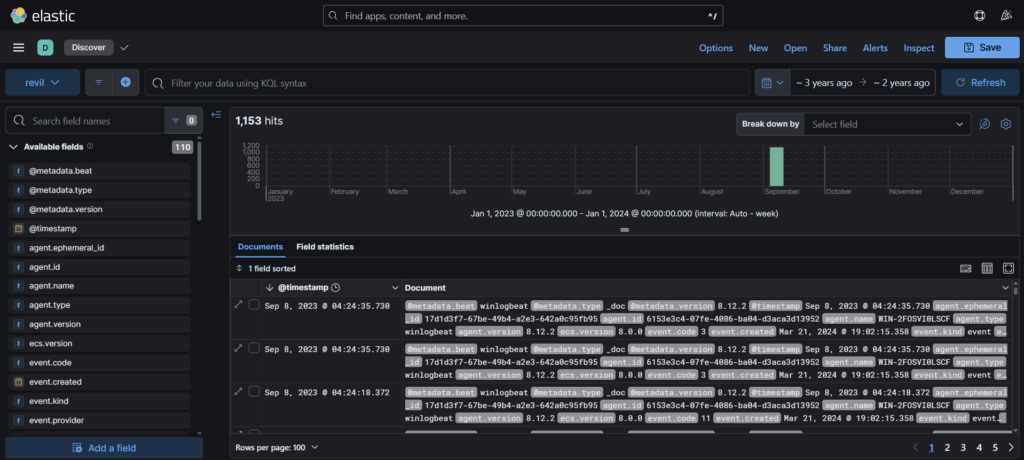
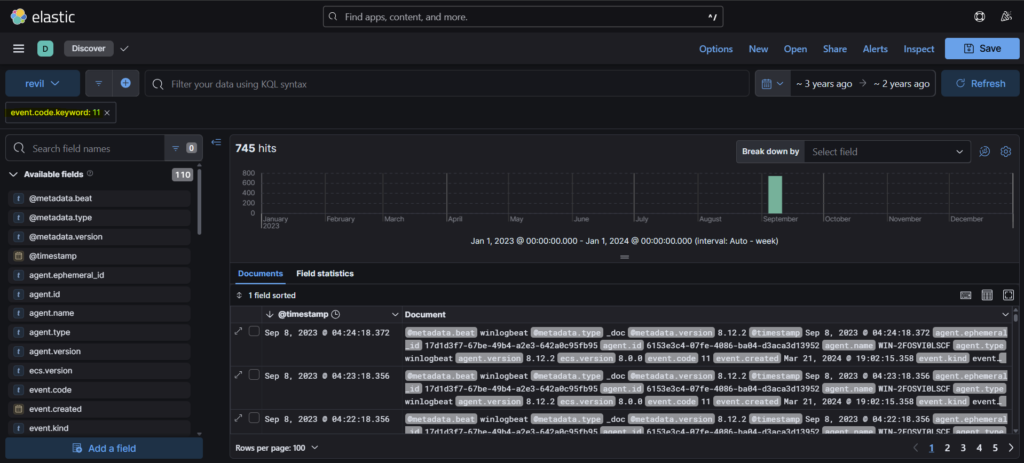
Step 2: Now, we all know that ransomware creates a ransom note on the infected system. To find the note we select the event code 11. Sysmon Event ID 11 (FileCreate) is logged when a file is created or overwritten.
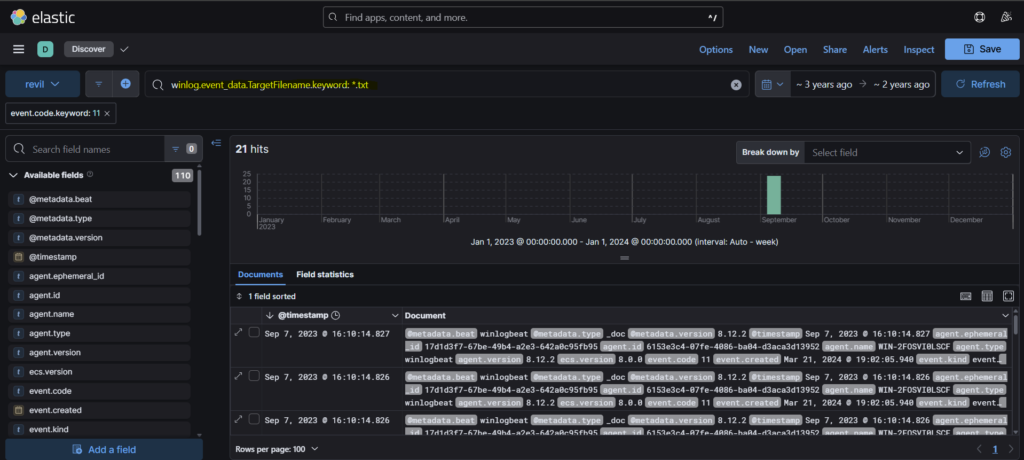
Step 3: As notes about Ransom is mostly written in txt file, we can search for any ‘.txt’ file in the logs using the query “winlog.event_data.TargetFilename.keyword: *.txt”
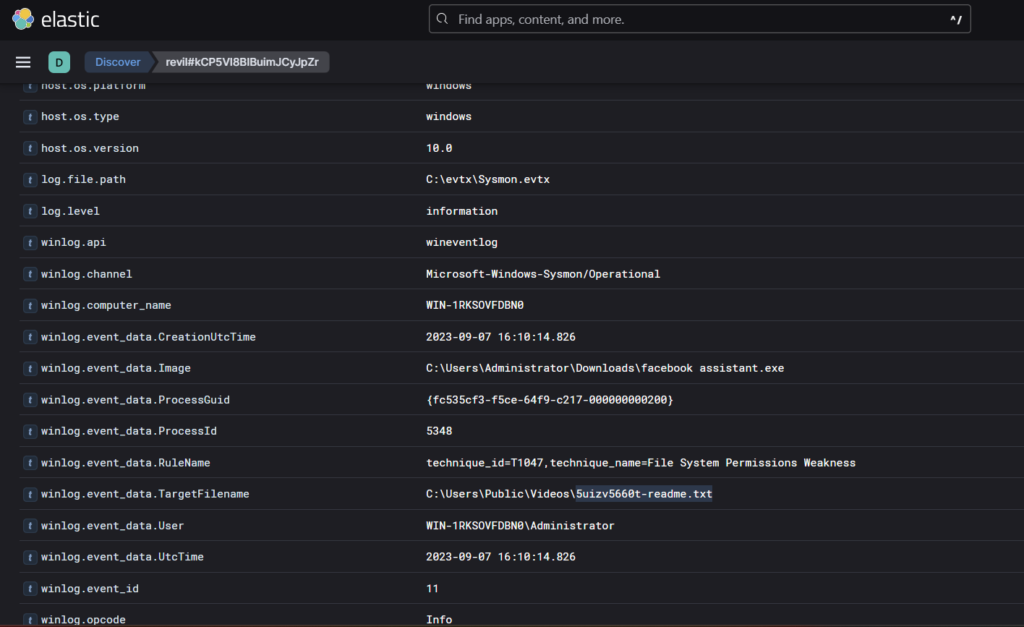
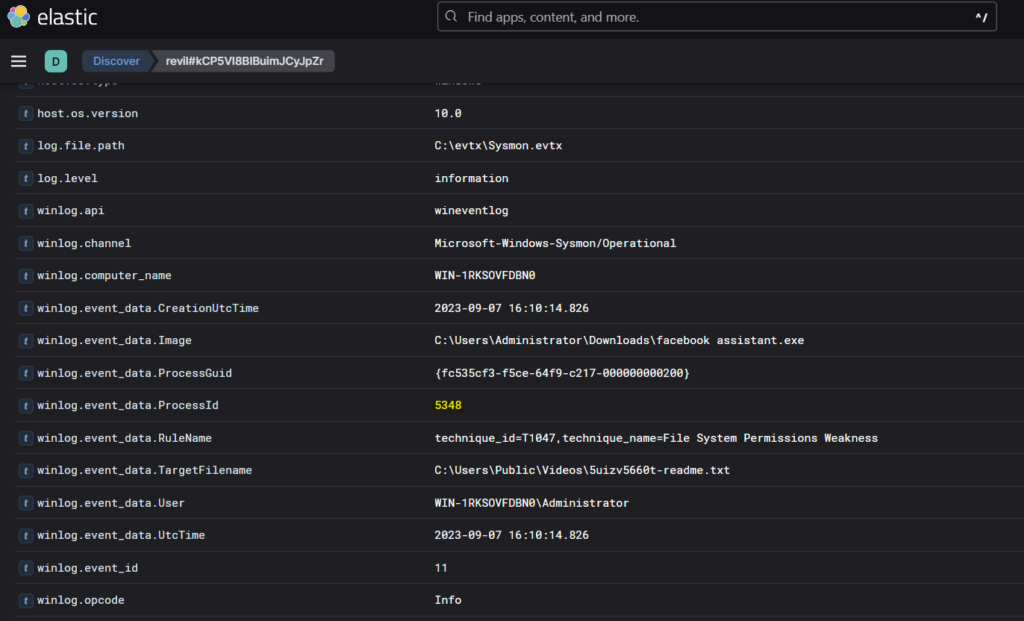
Step 4: Opening the first log, we see the text file under the target File name field.
Question 2: What’s the process ID of the ransomware that’s likely involved?
In the same log just one row above, we see the process id of the ransomware- 5348
Question 3: Where can we find the ransomware’s executable file?
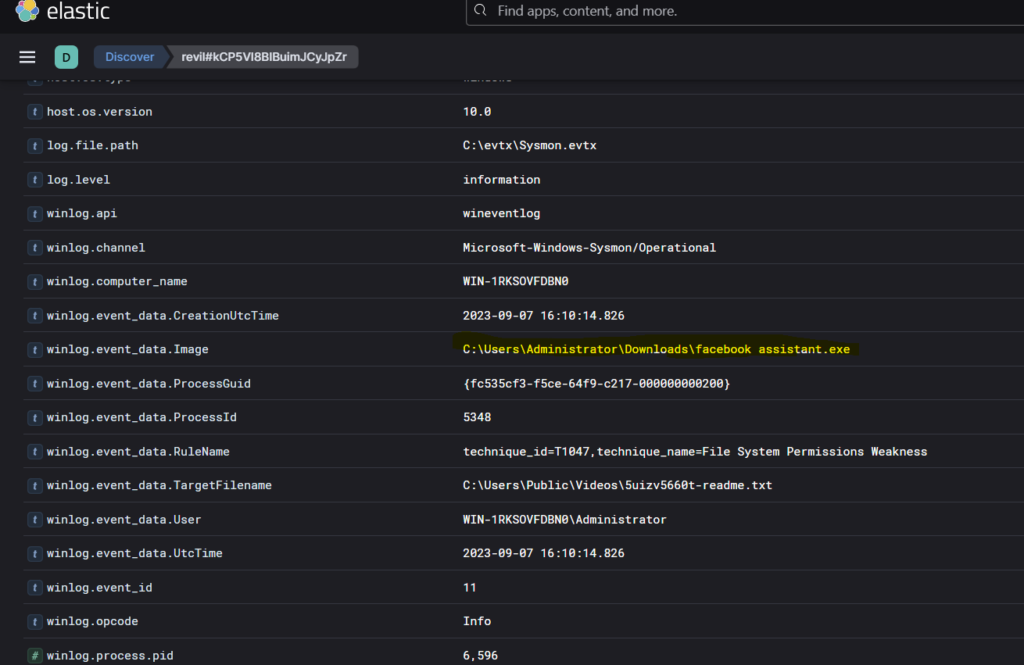
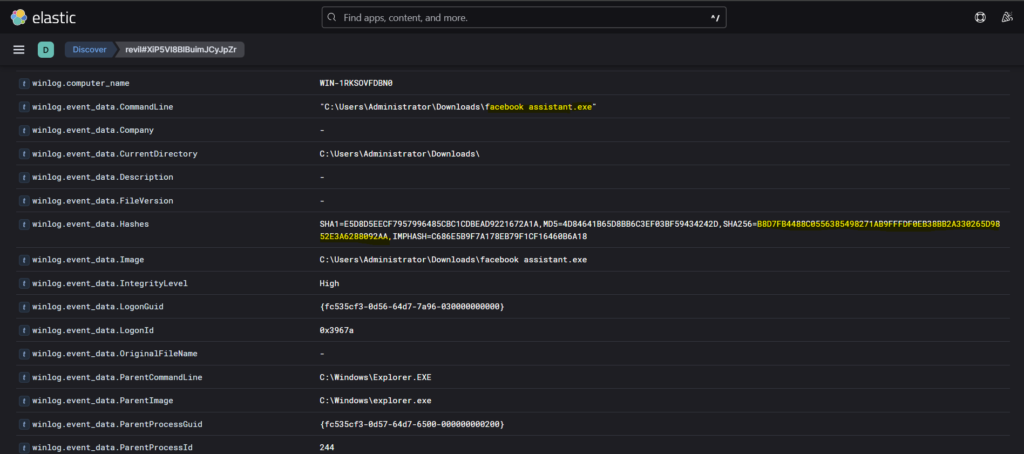
Again at the same place just one row above, we see the executable file of the ransomware- ‘facebook assistant.exe’
Question 4: It’s a common tactic for ransomware to disrupt system recovery methods. Can we identify the command that was used for this purpose?
Step 1: If we search in google about different event codes, we will see that the “Event Code 1 usually refers to a WHEA-Logger error (Windows Hardware Error Architecture) indicating a critical hardware fault, or a Sysmon event for process creation“. So we can use event code 1 in our query to filter out the logs that may be related to System recovery disruption.
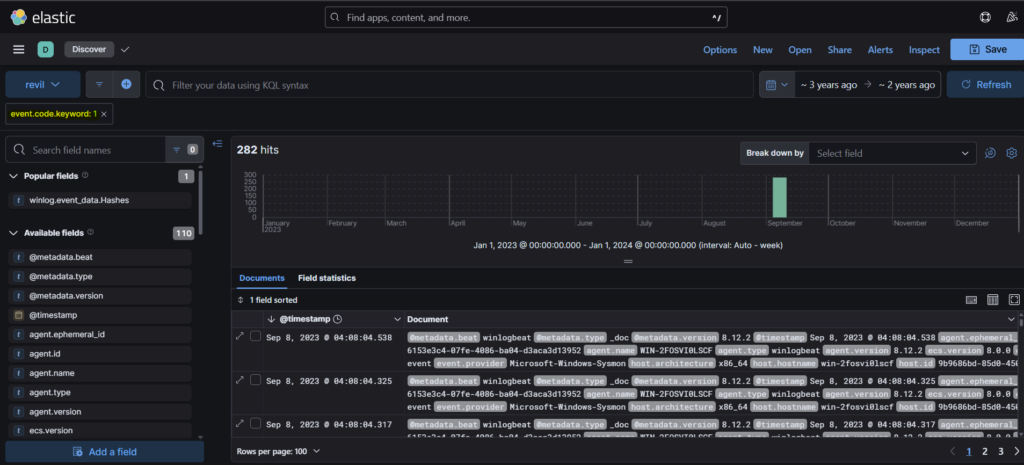
Step 2: We get 282 hits in this case. We need to filter the query again. Since we know that the system is windows, it’s possible that the adversary might have used powershell for the purpose. Just a guess. We can use the command winlog.event_data.CommandLine.Keyword for filtering out the logs.
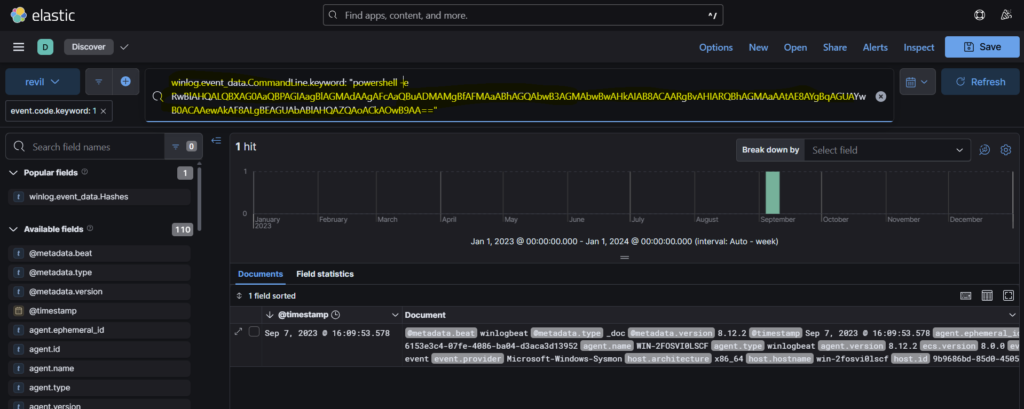
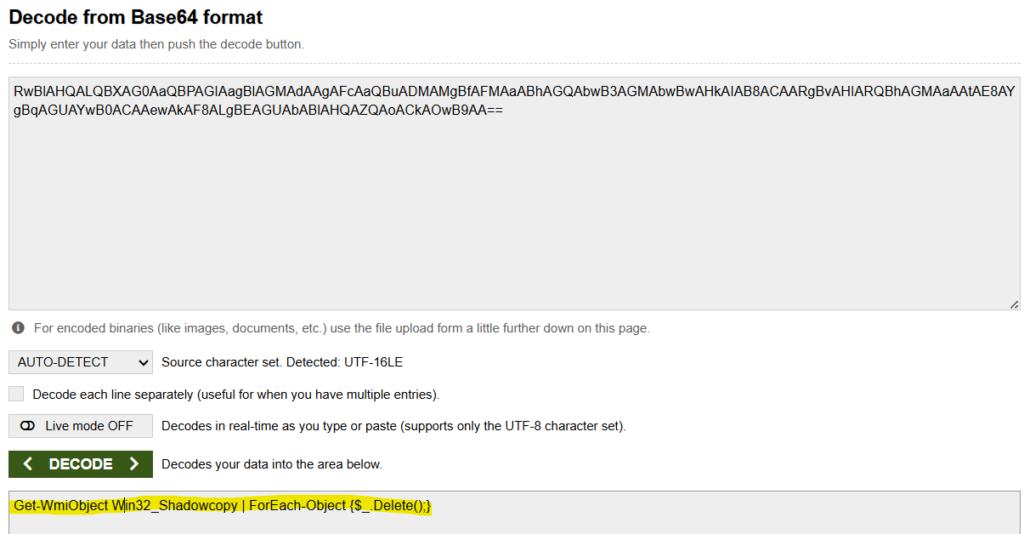
Step 3: So we get a hit where powershell was used. Opening that log, we see the command to be base64 encoded.
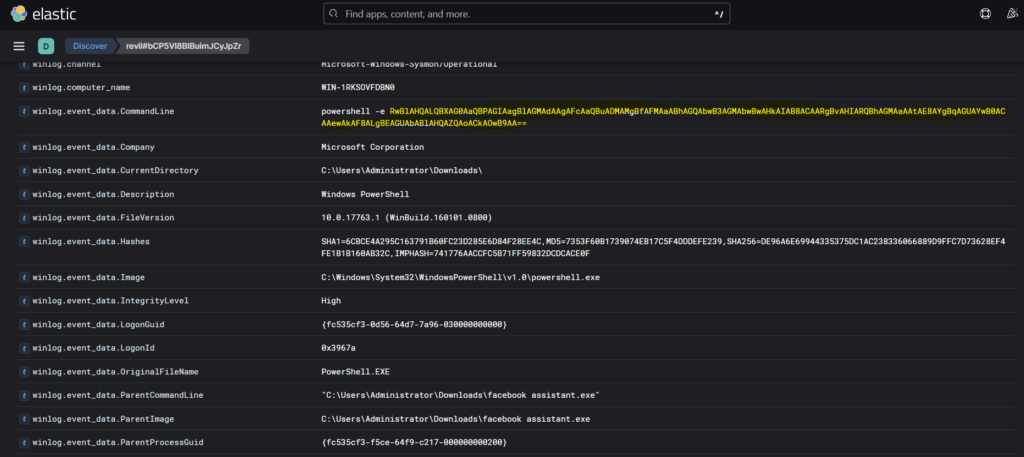
Step 4: We can decode the base64 code and get the powershell command.
Question 5: Can we get the sha256 hash of the ransomware’s executable to cross-check with known malicious signatures?
Step 1: So we need to find the SHA256 hash of the executable facebook assistant.exe. We can start by again querying event code 1.
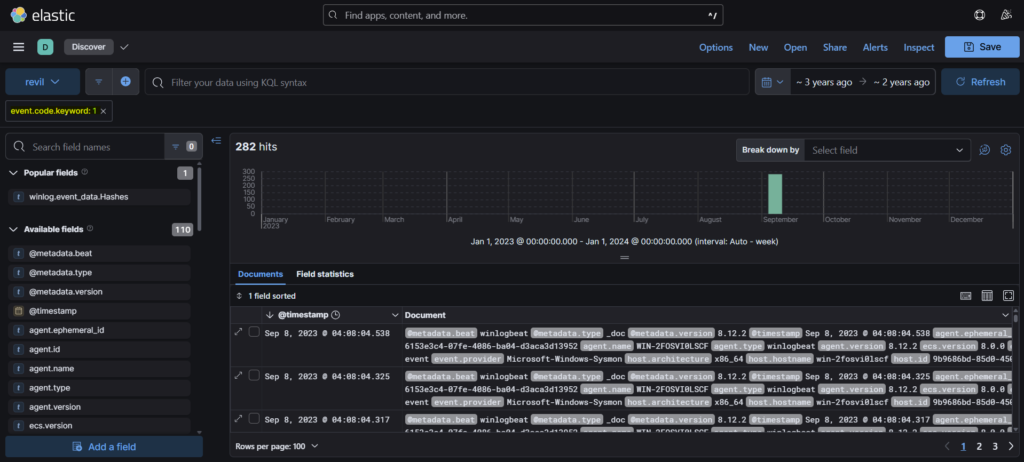
Step 2: Now since we know the name of the executable, we can use it to filter the logs. For this we can use the command- winlog.event_data.CommandLine and as the value, we can use the full path of ‘facebook assistant.exe’.
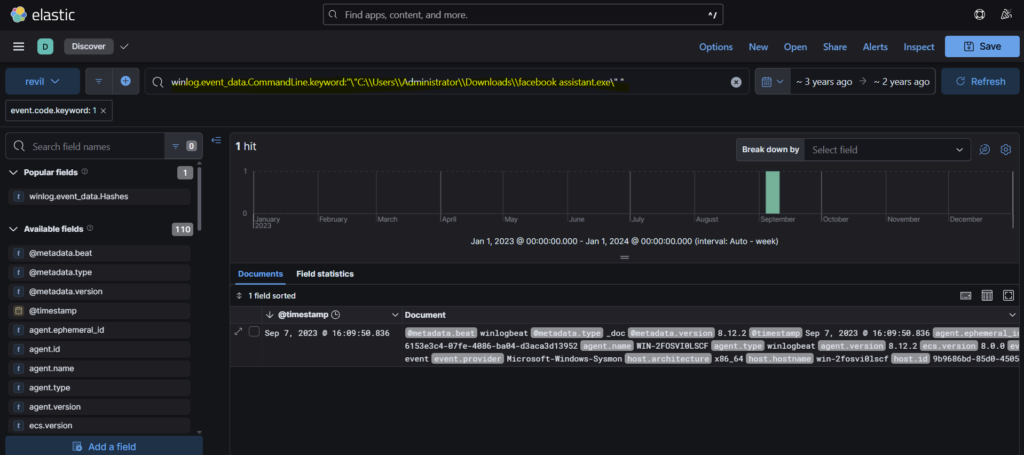
Step 3: In the log, we can see the value of winlog.event_data.Hashes. This is where we get the SHA256 hash of the malicious executable.
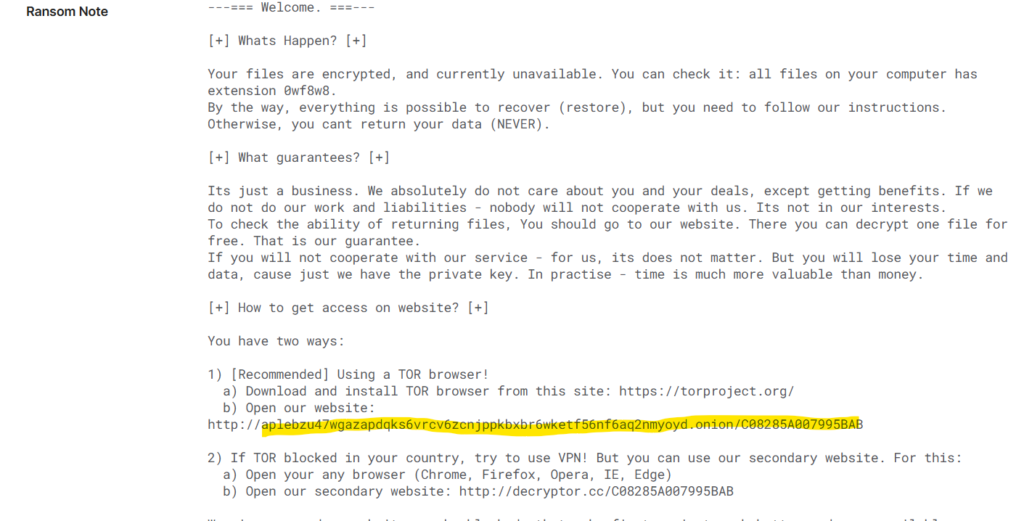
Question 6: Can we leverage threat intelligence and known Indicators of Compromise (IoCs) to pinpoint the ransomware author’s onion domain?
I used triage to get the answer. In triage we can just use the SHA256 of the executable and get the details of author’s onion domain.
Conclusion
This lab reinforces the role of the ELK Stack as a tool for detection and post-incident analysis. We also in the lab understood how centralized logging can significantly reduce investigation time, assist in accurate root cause analysis, and also support in the development of improved detection logic for future incidents.
Overall the lab serves as an example of how log-based investigations can support in investigating ransomware detection and analysis, also aiding in structured investigative methodologies within modern Security Operations environments.