Scenario
During a recent security incident, an attacker successfully exploited a vulnerability in our web server, allowing them to upload webshells and gain full control over the system. The attacker utilized the compromised web server as a launch point for further malicious activities, including data manipulation.
As part of the investigation, We are provided with a packet capture (PCAP) of the network traffic during the attack to piece together the attack timeline and identify the methods used by the attacker. The goal is to determine the initial entry point, the attacker’s tools and techniques, and the compromise’s extent.
Question: What is the IP address of the attacker?
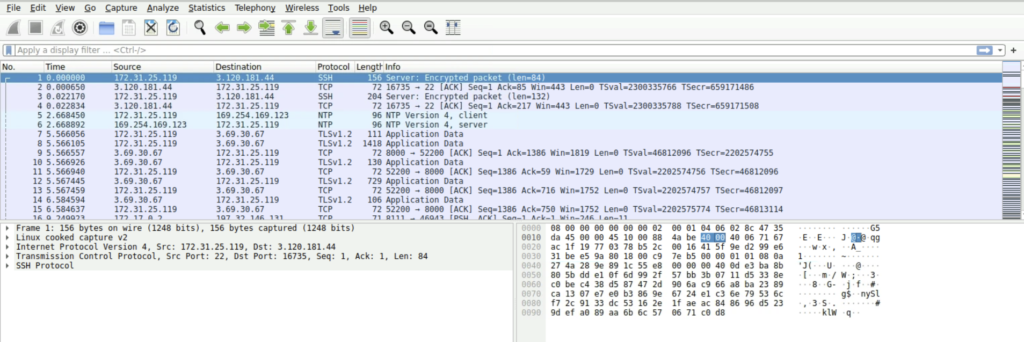
Open the capture.pcap file using wireshark.
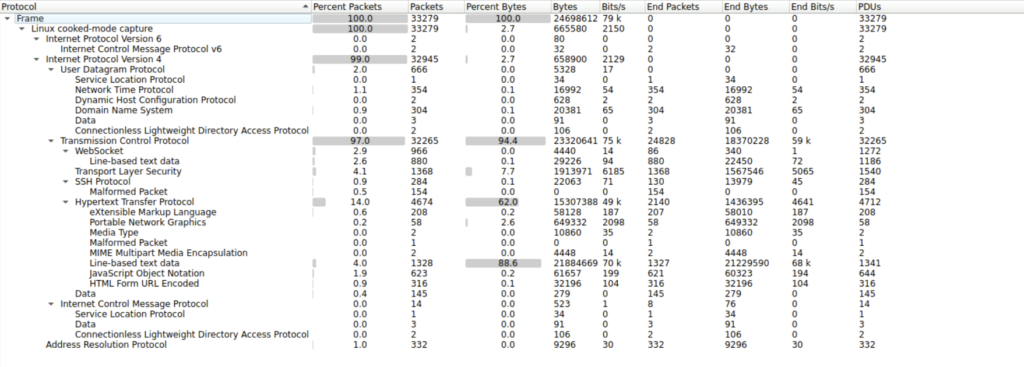
Step 1: We explore the protocol hierarchy first to understand what protocols are present in the capture file.
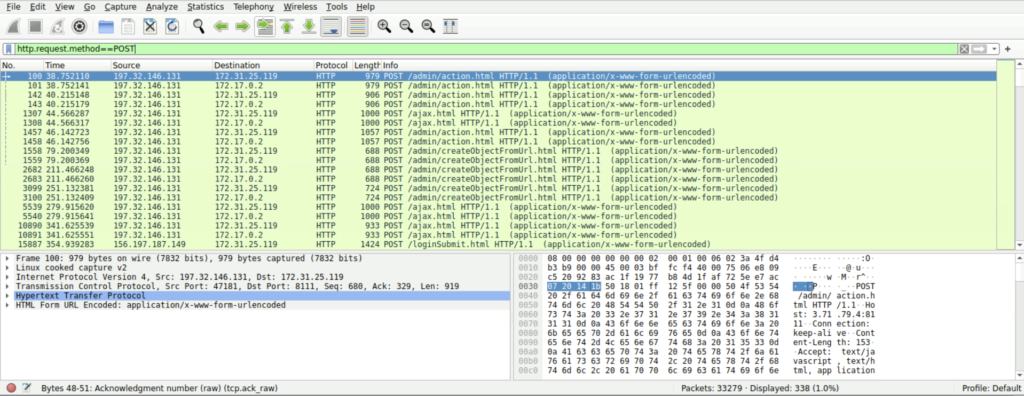
Step 2: We can filter the packet list pane by using the parameter http.request.method==POST. This will filter the packets showing only those http packets which have POST method.
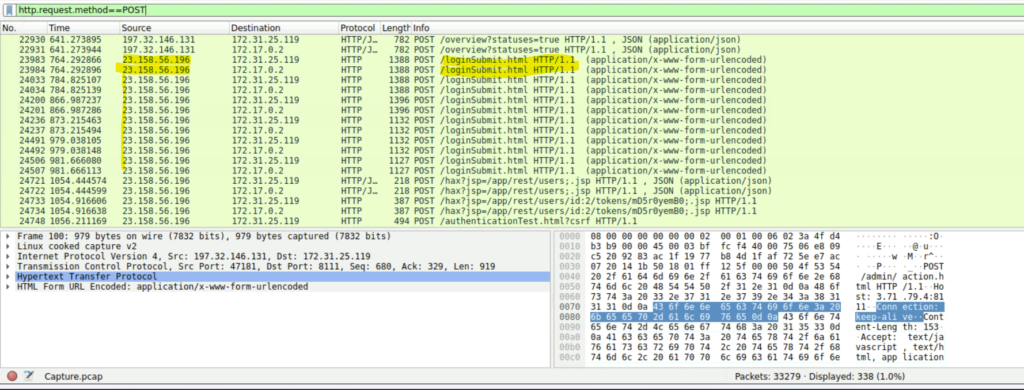
Step 3: There we find that the IP address 23.158.56.196 has multiple post requests to the web server for login submission indicating a brute force or password spraying attack.
Question: What version of our web server service is running?
Step 1: Filter the packet list pane using the filter ‘ip.addr ==23.158.56.196 and http’. This filter displays all packets that have ip address from the attacker in both request or response and where the protocol is http.
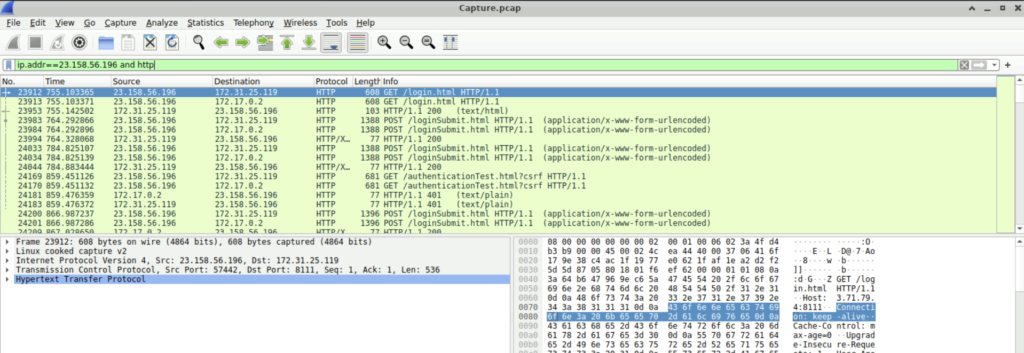
Step 2: Now click on any packet and select Follow-> Http stream
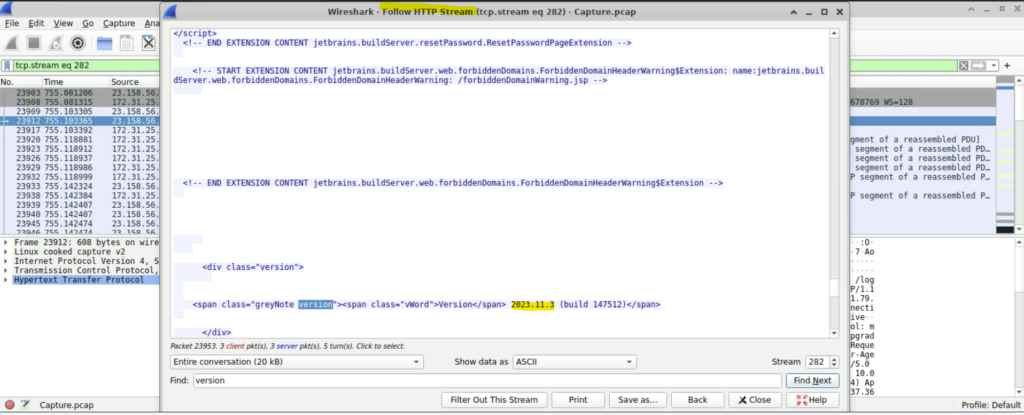
Step 3: Search for version in Find Next. We see the version given here is 2023.11.3
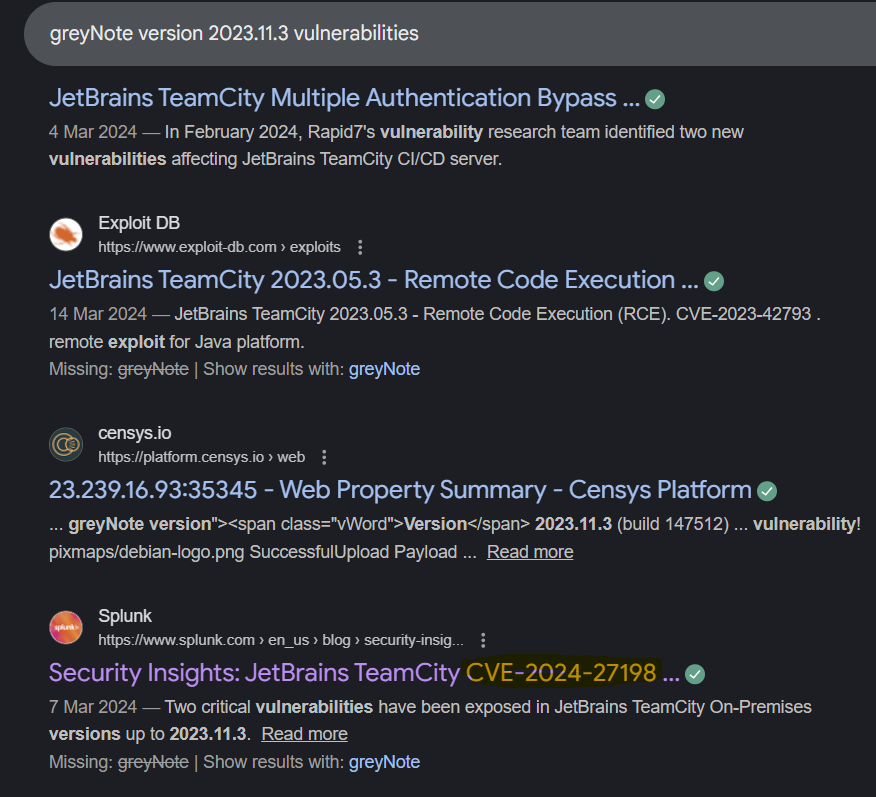
Question: What CVE number corresponds to the vulnerability the attacker exploited?
Step 1: Googling the webserver and version, we can get the answer.
Question: The attacker exploited the vulnerability to create a user account. What credentials did he set up?
Step 1: Scrolling down we can see a packet with POST method and the protocol used was HTTP/JSON with the info /hax?jsp=/app/rest/users
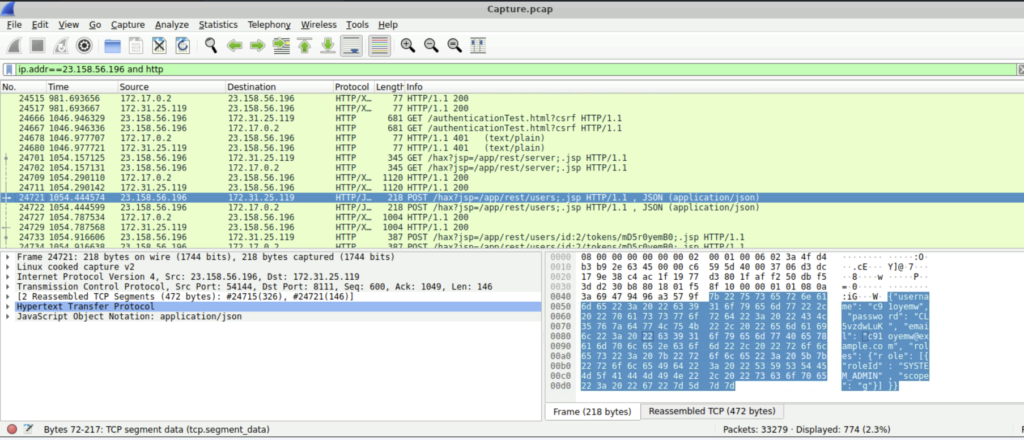
In the Packet Bytes pane we see that the username and the password is c91oyemw and CL5vzdwLuK respectively.
Question: What is the name of the file that the attacker uploaded?
Step 1: We must again filter the packet list but this time we can tweak the filter a bit. Here the filter we used is ‘ip.addr==23.158.56.196 and http.request.method==POST’. This lists all the packets from the attacker and the request method to be only POST, since we all know that to upload a file, POST request will be used.
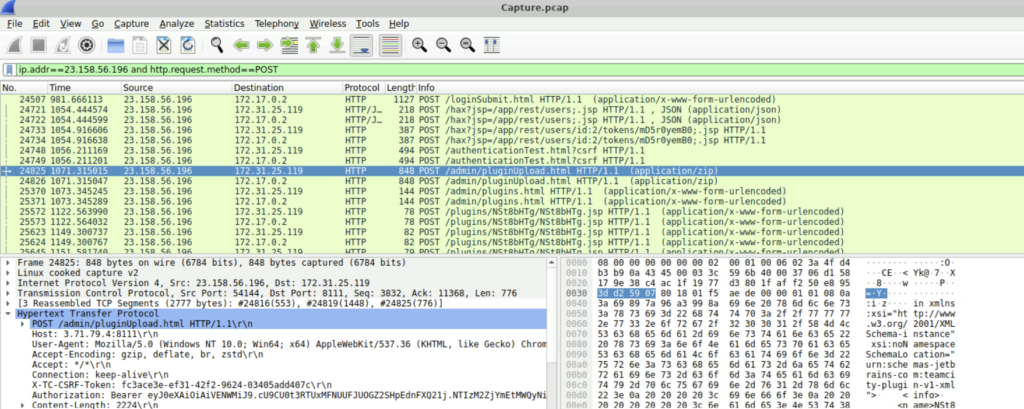
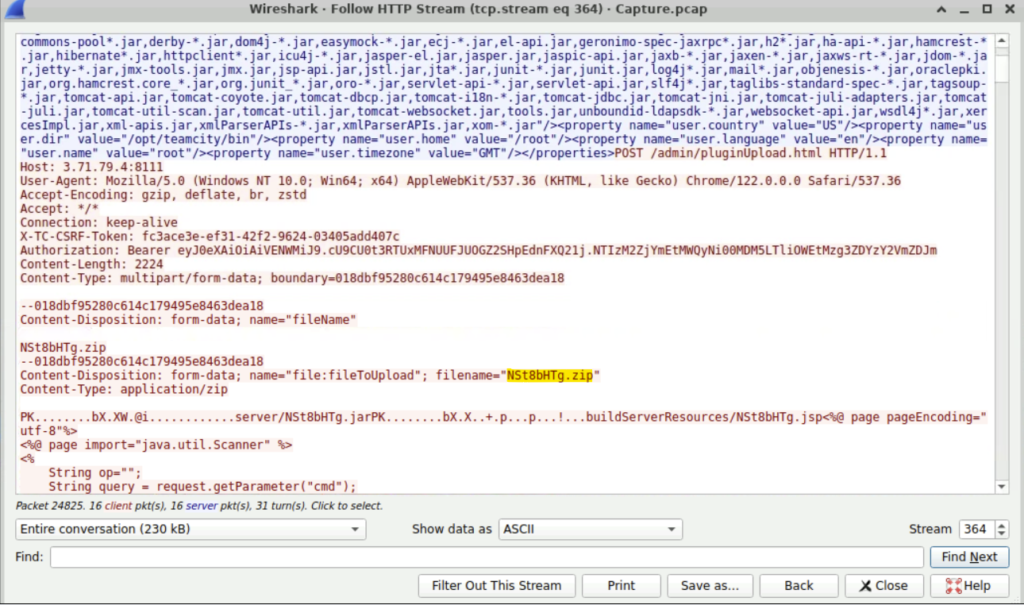
Step 2: Again we can follow the HTTP stream. Scrolling down, we find the File that is uploaded by the malicious actor.
Question: When did the attacker execute their first command via the web shell?
Step 1: Change the View to Proper Time display format.(I have already discussed the method in the previous blog).
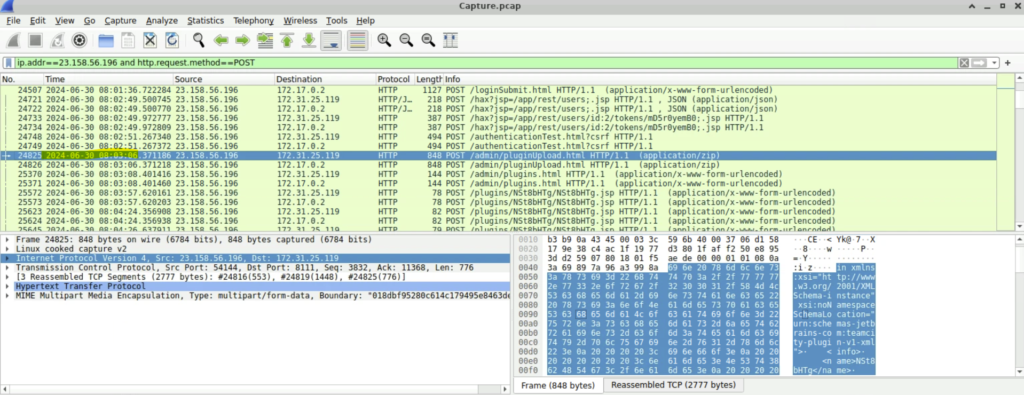
We see the date and time to be 2024-06-30 08:03.
Question: What new username and password did the attacker write in the text file that contained the credentials of the admin user of the webserver?
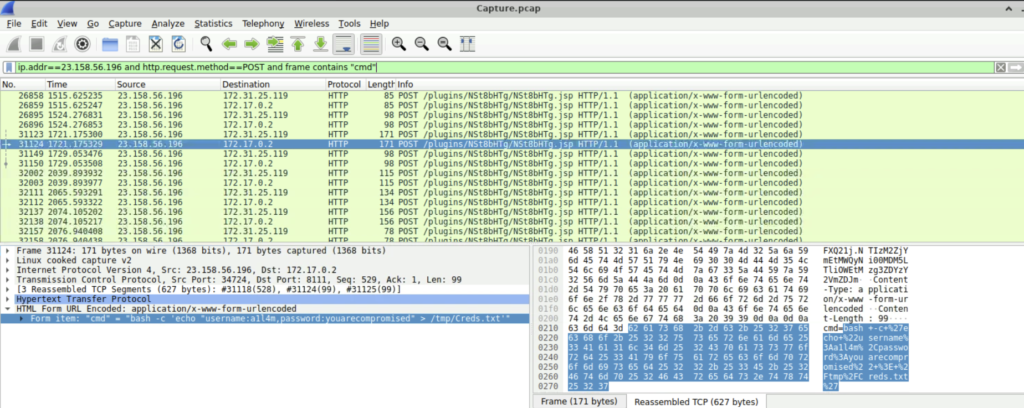
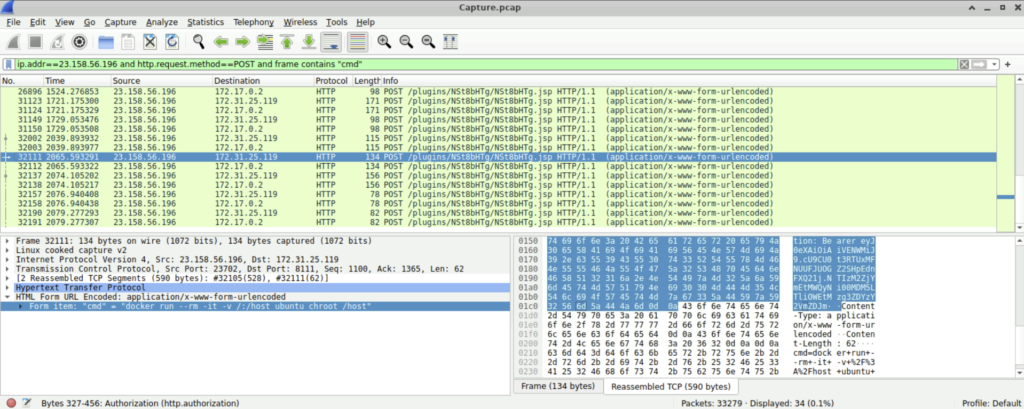
Step 1: To answer this question, we can use the filter ‘ip.addr==23.158.56.196 and http.request.method==POST and frame contains “cmd”’. This will list all the packets where the attacker performed remote code execution.
Step 2: Scrolling down, a particular packet catches our eye. It says the attacker added a user a1l4m to creds.txt file under /tmp directory.
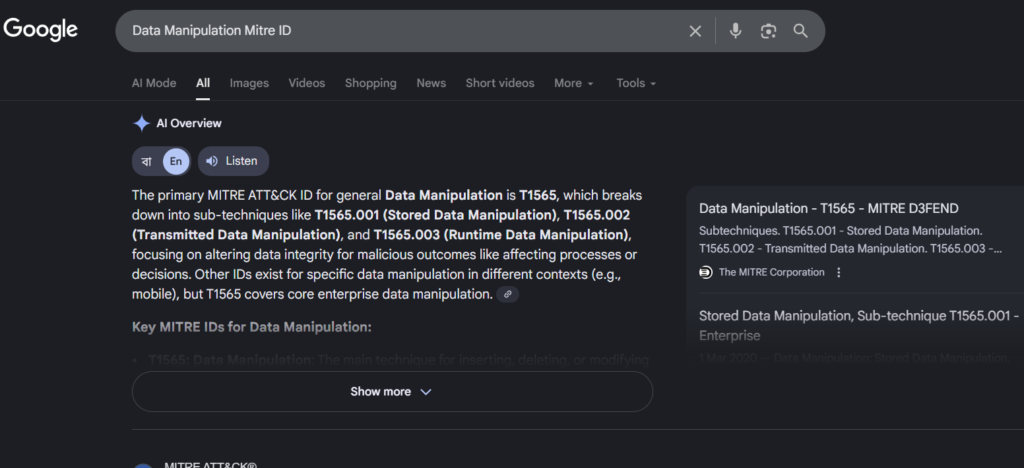
Question: What is the MITRE Technique ID for the attacker’s action in the previous question when tampering with the text file?
Step 1: Googling will show us that the Mitre ID. In this case, the technicques used by the attacker is Data Manipulation for Stored Data. Hence, the Mitre ID is T1565.001
Question: What is the command that the attacker used for escaping from the container but didn’t succeed?
Step 1: We continue scrolling using the filter that we used in question 7. We can see the command executed to escape from the container was ‘docker run –rm -it -v /:/host ubuntu chroot /host’
Conclusion
This lab explores little more of the Wireshark that I have discussed in the previous blog. We saw how the attacker performed enumeration attempts, exploited the web server and then tampered with the credentials text file. We also mapped the attack method to MITRE ATT&CK.
I will continue to explore more of Wireshark and network analysis. So watch out for more!!