Scenario
As a member of the DFIR team at SecuTech, we’re tasked with investigating a security breach affecting multiple endpoints across the organization. Alerts from different systems suggest the breach may have spread via removable devices. We’ve been provided with a memory image from one of the compromised machines. Our objective is to analyze the memory for signs of malware propagation, trace the infection’s source, and identify suspicious activity to assess the full extent of the breach and inform the response strategy.
Questions
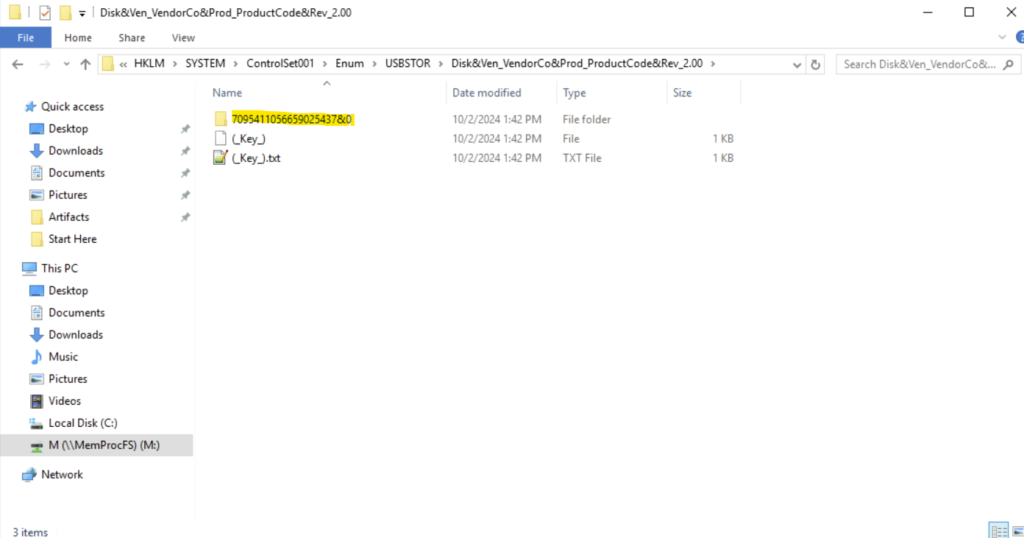
Tracking the serial number of the USB device is essential for identifying potentially unauthorized devices used in the incident, helping to trace their origin and narrowing down our investigation. What is the serial number of the inserted USB device?
Step 1: Open the lab.
Step 2: Go to the folder where the memory file is present.
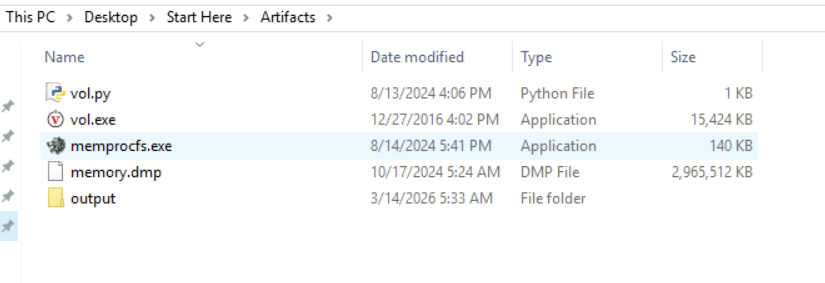
Step 3: We can use memprocfs here. Memprocfs is a tool that lets us analyze memory dumps like a normal file system. It mounts memory as a folder/drive.
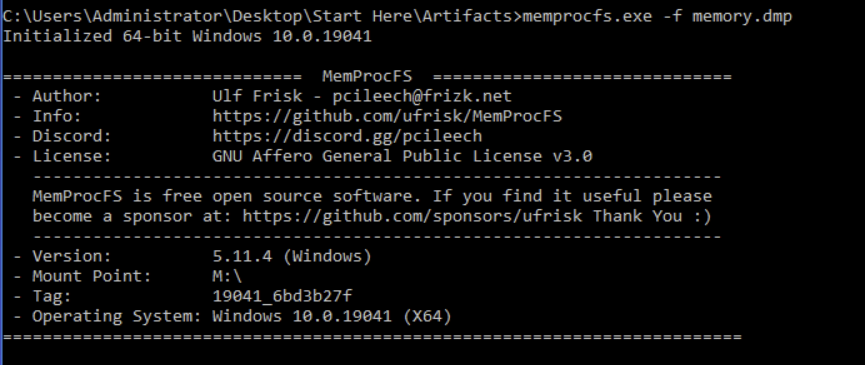
Step 4: We use the command:
memprocfs.exe -f memory.dump
This gives us a new folder M:
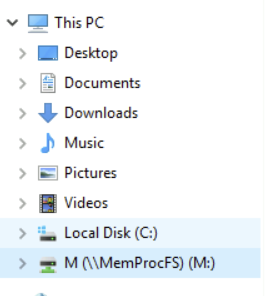
Step 5: To find the serial number of the USB device, we must traverse to the device list under M drive.- M:/HKLM/SYSTEM/ControlSet001/Enum/USBTOR/Disk&Ven_VendorCo&Prod_ProductCode&Rev_2.00/
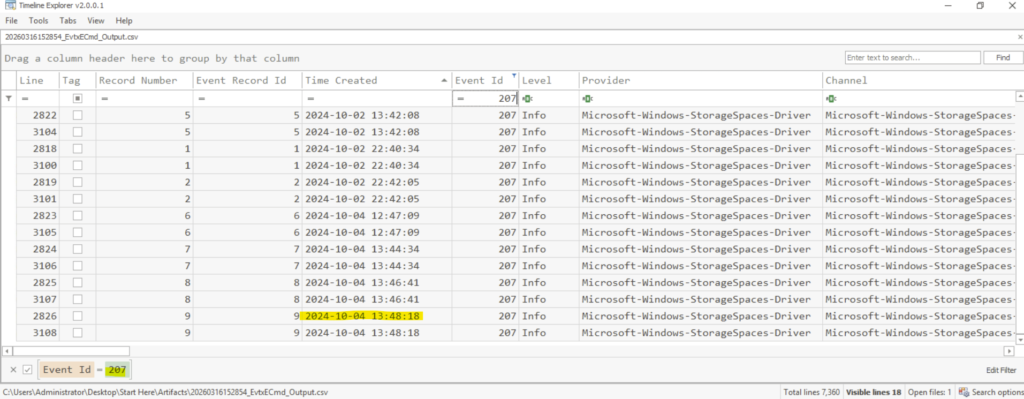
Tracking USB device activity is essential for building an incident timeline, providing a starting point for our analysis. When was the last recorded time the USB was inserted into the system?
To answer the question, we can use the tool EvtxECmd.exe to parse Windows Event Log files and convert them into a readable format.
The event log is present in M:\misc\eventlog and we can use the following command in cmd to create the csv file.
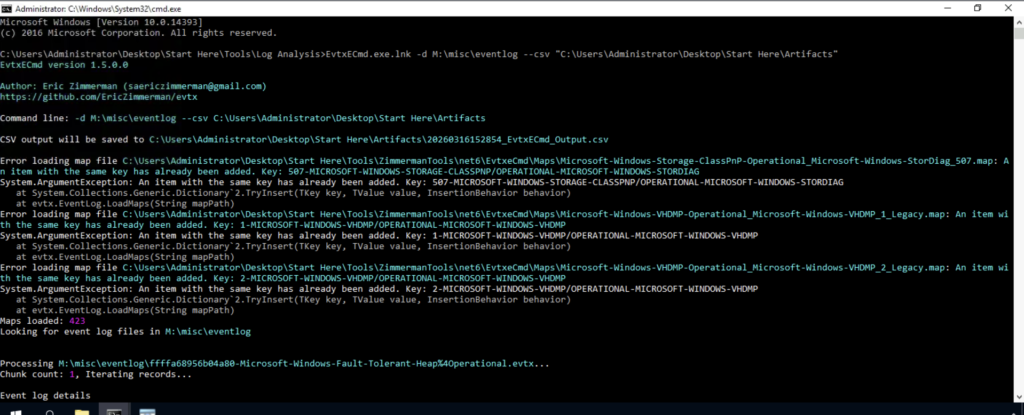
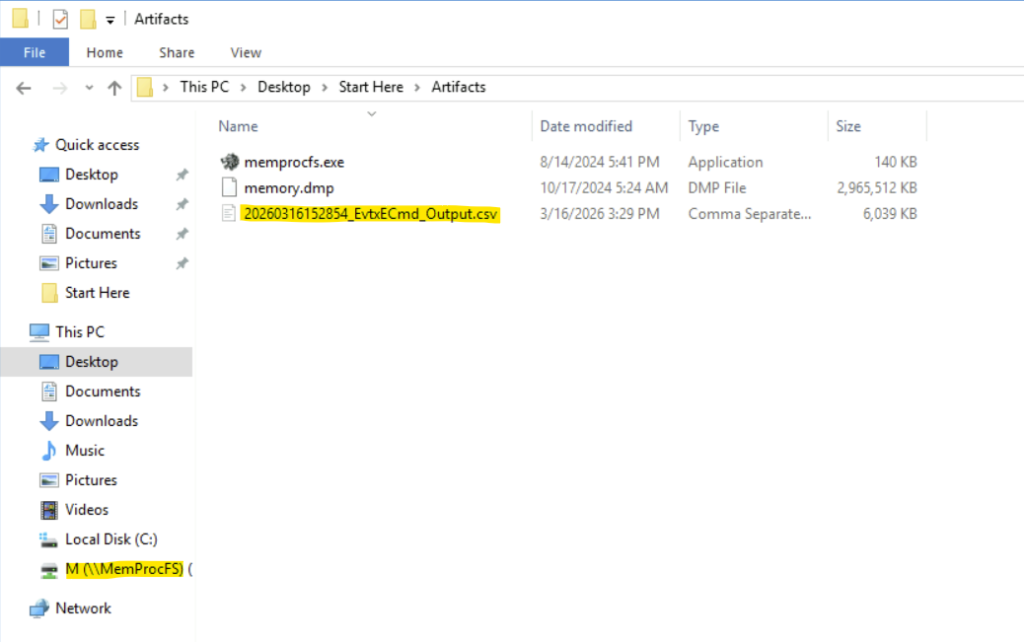
We will see the csv file is generated.
We can now filter the Event Id 207 to list the device-related informational events. In the Time Created column, we can sort the times and take the last time record to answer the question.
Identifying the full path of the executable provides crucial evidence for tracing the attack’s origin and understanding how the malware was deployed. What is the full path of the executable that was run after the PowerShell commands disabled Windows Defender protections?
We can use the timeline from the previous question and use it to find the answer. We can scroll down and search for the provider ‘Windows Defender’. Against it we will get the full path of the executable that disabled the Windows Defender protection.
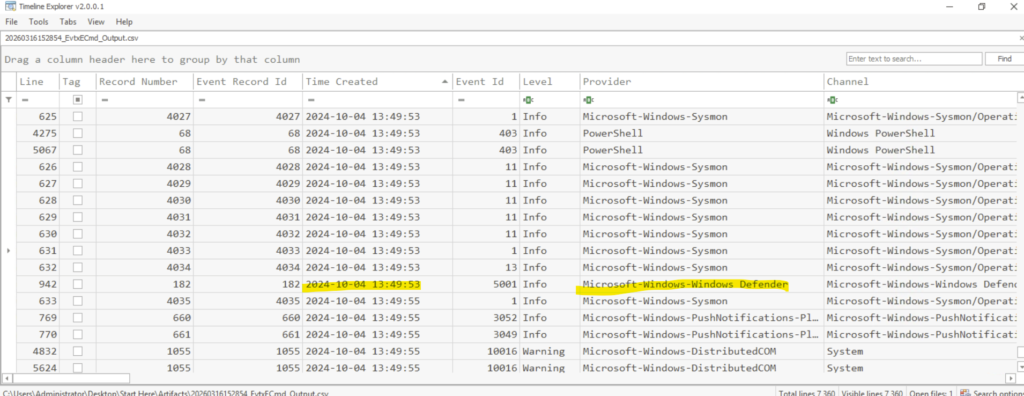
The full path is E:\hidden\Trusted Installer.exe
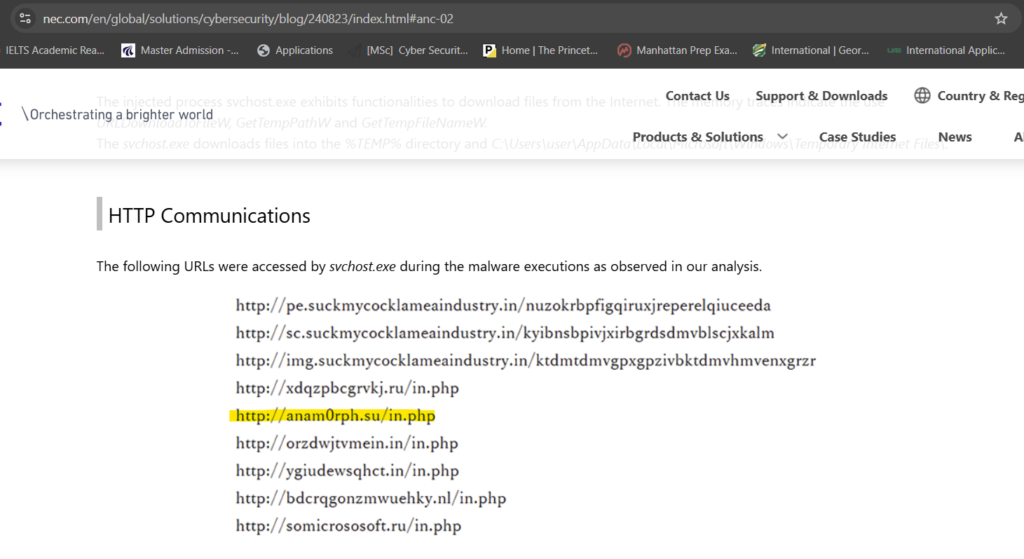
Identifying the bot malware’s C&C infrastructure is key for detecting IOCs. According to threat intelligence reports, what URL does the bot use to download its C&C file?
We have to use google to find the answer. Here is a screenshot for reference:
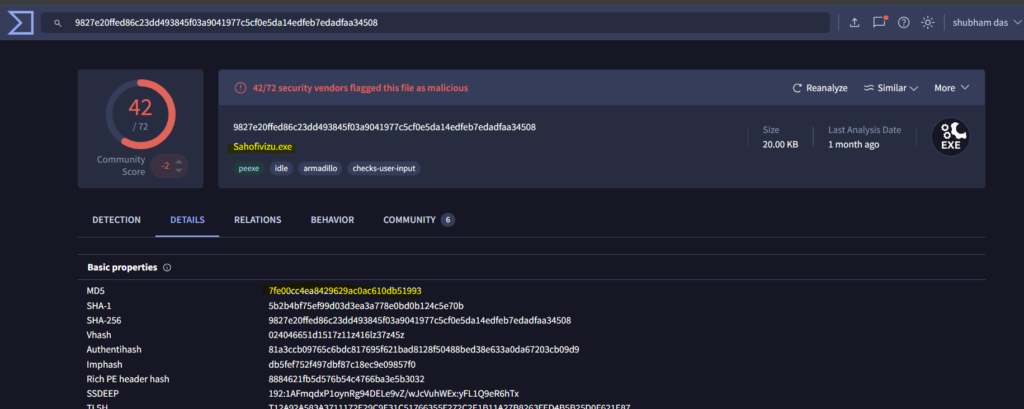
Understanding the IOCs for files dropped by malware is essential for gaining insights into the various stages of the malware and its execution flow. What is the MD5 hash of the dropped .exe file?
We can use VirusTotal to find the MD5 of the malicious executable.
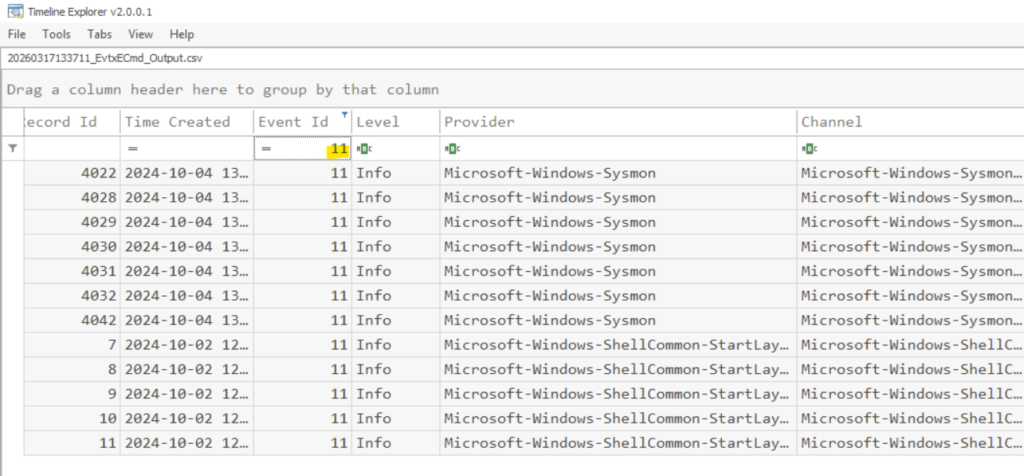
Having the full file paths allows for a more complete cleanup, ensuring that all malicious components are identified and removed from the impacted locations. What is the full path of the first DLL dropped by the malware sample?
From the timeline explorer, we can filter the event id’s with 11 which means file creation events.
Screening to the right, we will find the .dll files in the payload data4 column.
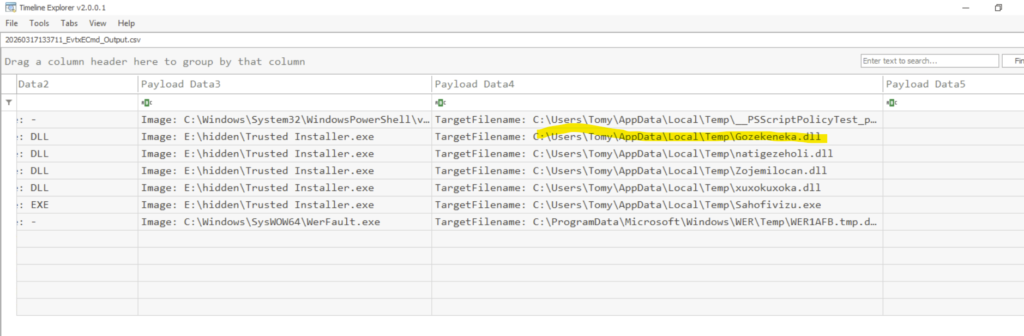
C:\Users\Tomy\AppData\Local\Temp\Gozekeneka.dll
Conclusion
This investigation demonstrates how combining memory forensics and Windows event log analysis can uncover the full scope of a compromise. By leveraging tools such as MemProcFS and EvtxECmd, We were able to identify key artifacts, reconstruct the attack timeline, and understand the behavior of the Andromeda bot. That will be all for today, see you all in next lab.