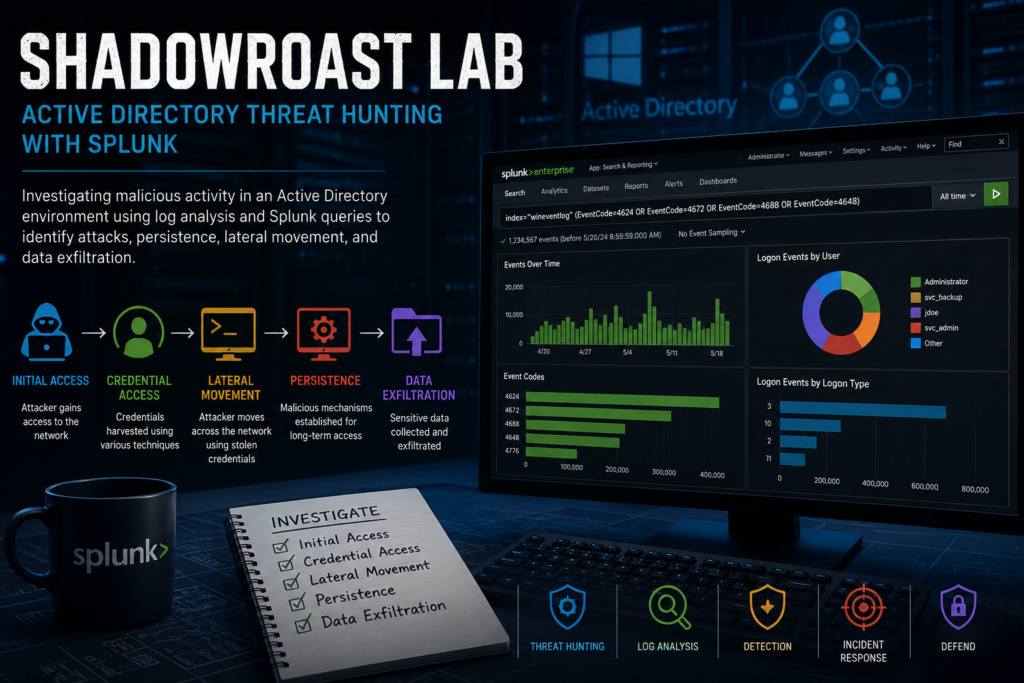
Scenario
As a cybersecurity analyst at TechSecure Corp, you have been alerted to unusual activities within the company’s Active Directory environment. Initial reports suggest unauthorized access and possible privilege escalation attempts.
Your task is to analyze the provided logs to uncover the attack’s extent and identify the malicious actions taken by the attacker. Your investigation will be crucial in mitigating the threat and securing the network.
Questions
Question 1: What’s the malicious file name utilized by the attacker for initial access?
Step 1: Fire up the lab machine.
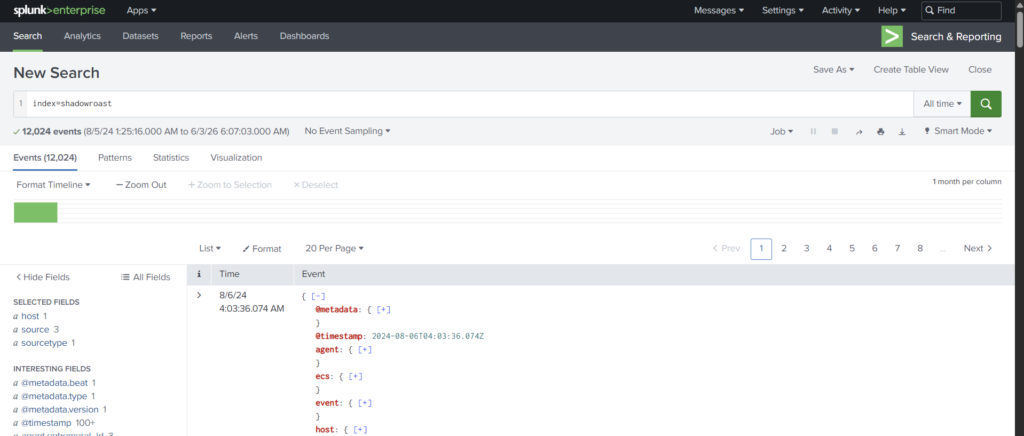
Step 2: Use the Office-PC as the source and event code 1 to determine the file name. We use event 1 to search which are the processes that were initialized.
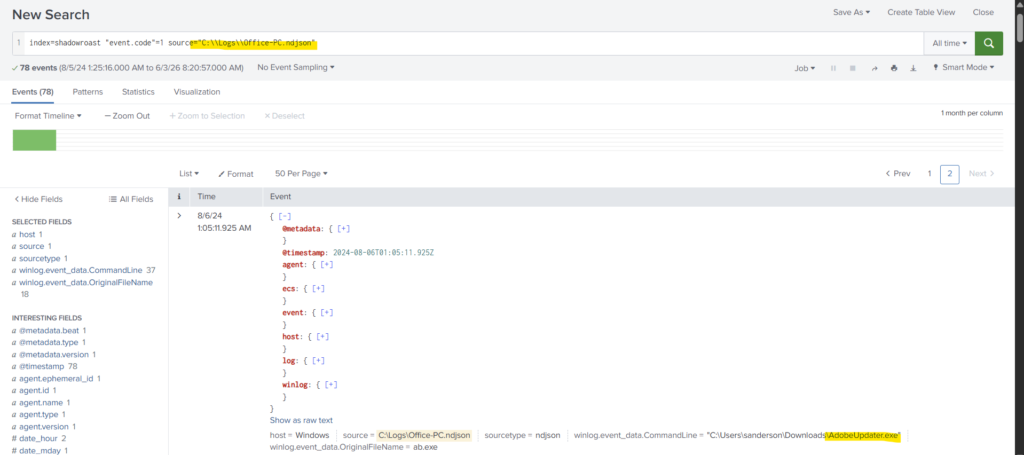
AdobeUpdater.exe is the malicious file that the attacker used for initial access.
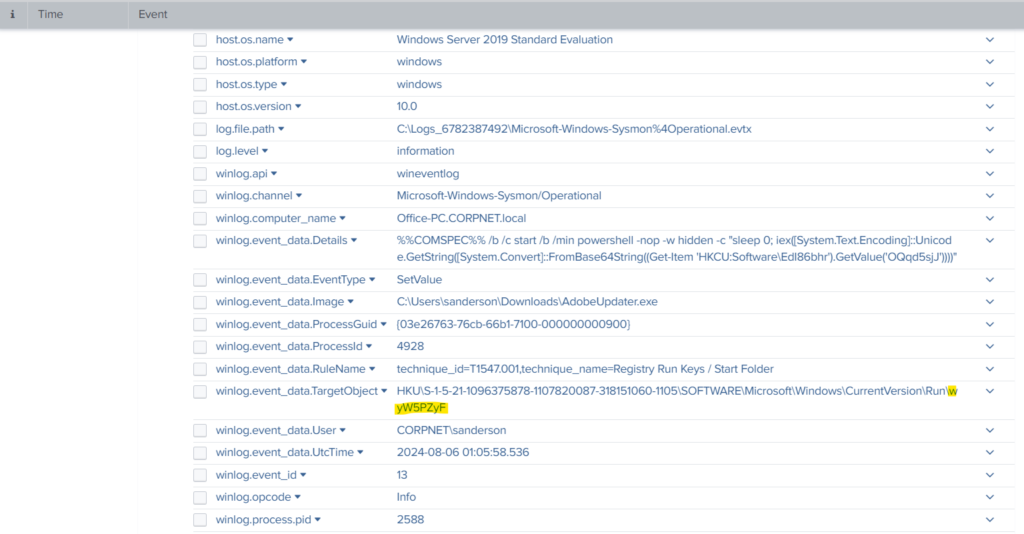
Question 2: What’s the registry run key name created by the attacker for maintaining persistence?
Step 1: We use event 13 here because 13 refers to RegistryEvent. We also know that this event is triggered when there is a modification in the Registry value.
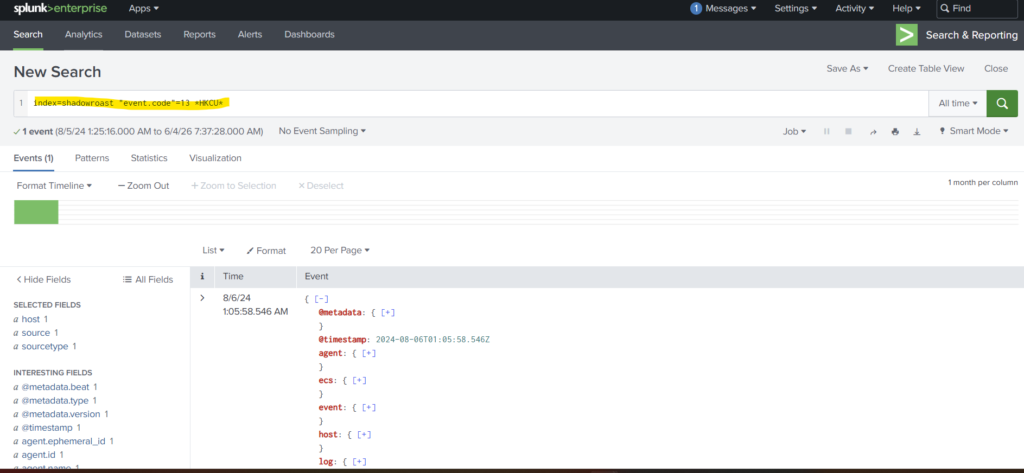
Step 2: We also use the word *HKCU* to filter the logs particularly for registry keys.
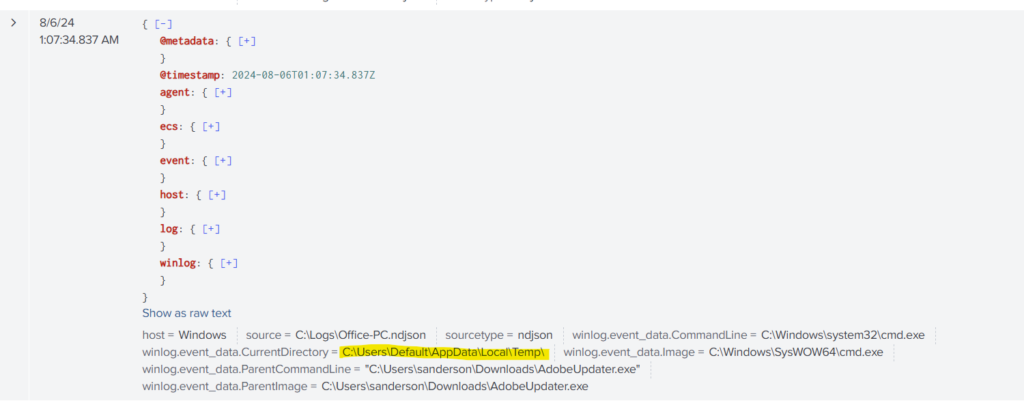
Question 3: What’s the full path of the directory used by the attacker for storing his dropped tools?
Step 1: We search the logs with the malicious file name AdobeUpdater.exe and look out for the directory path.
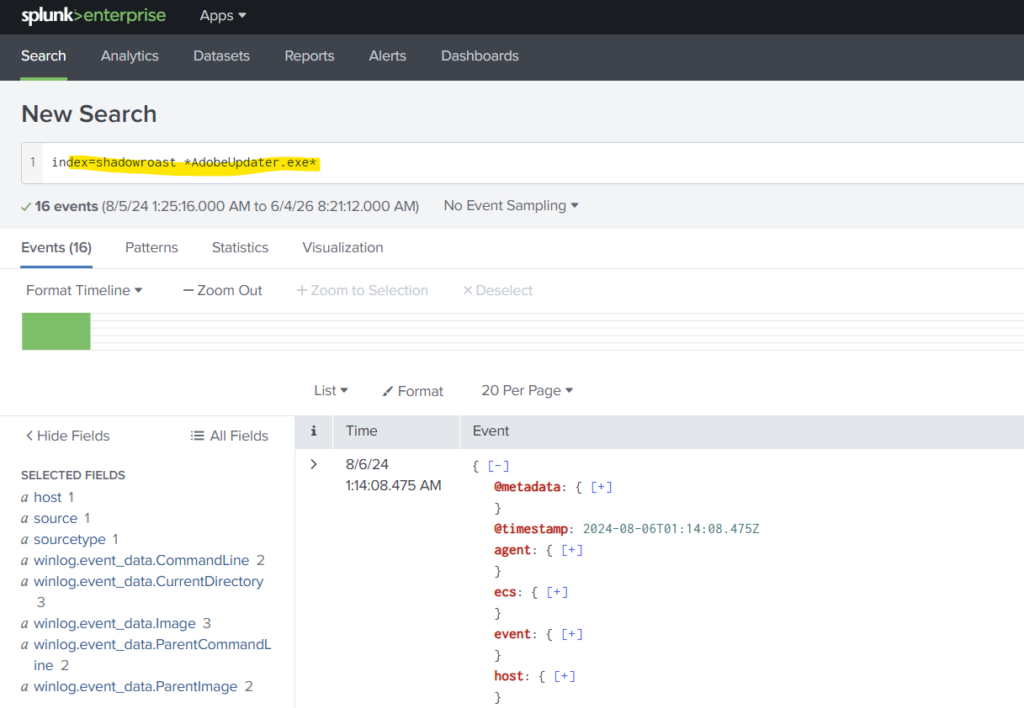
Step 2: We can select special fields to ease our task like winlog.event_data.CurrentDirectory.
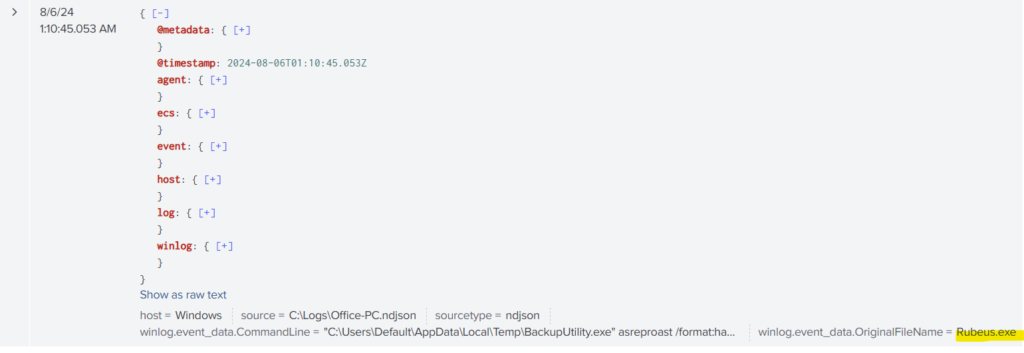
Question 4: What tool was used by the attacker for privilege escalation and credential harvesting?
Step 1: Again we filter the logs with event code 1 to search if any new processes have been initialized.
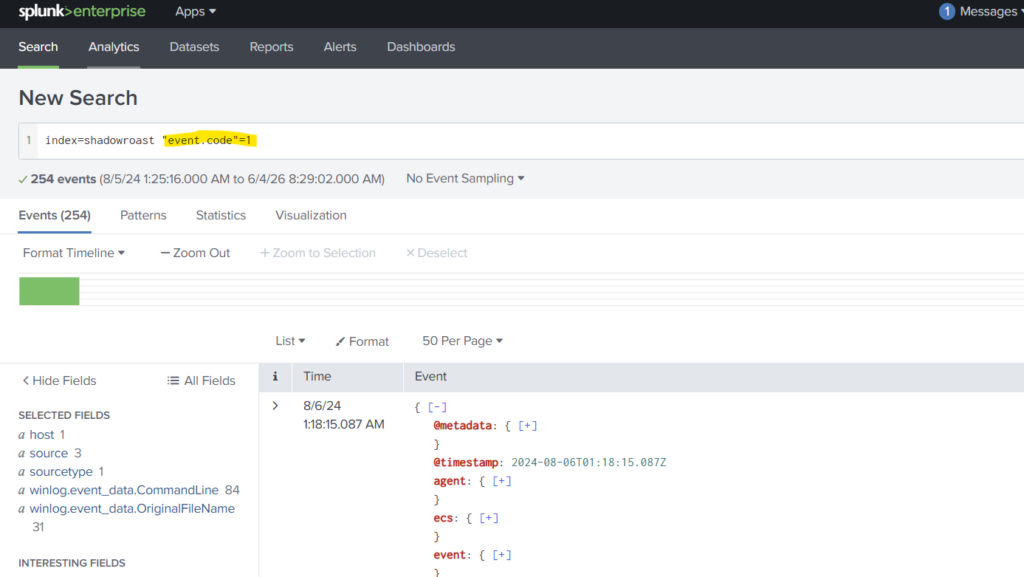
After little bit of searching, we find the tool that was used by the attacker.
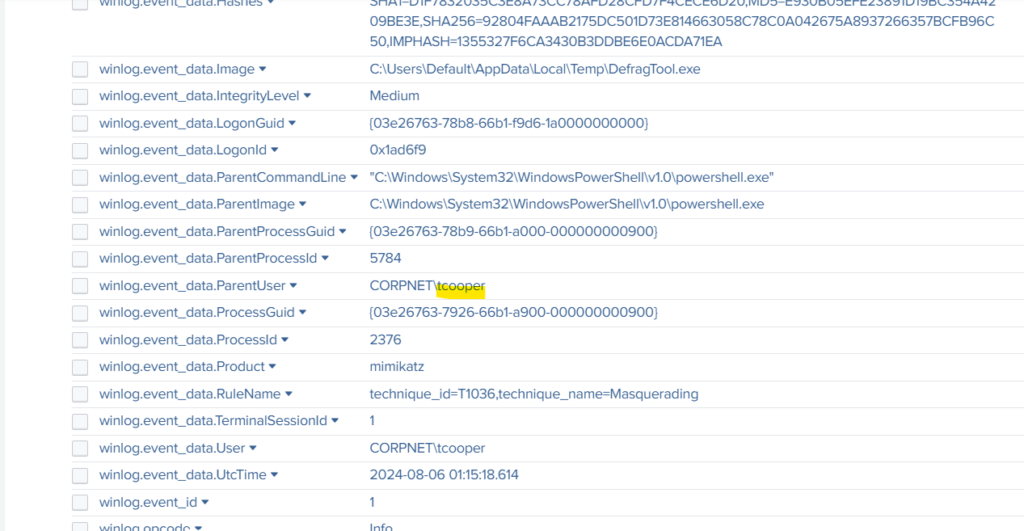
Question 5: Was the attacker’s credential harvesting successful? If so, can you provide the compromised domain account username?
If we look at the details of the same log, we find the account username in the winlog.event_data.ParentUser.
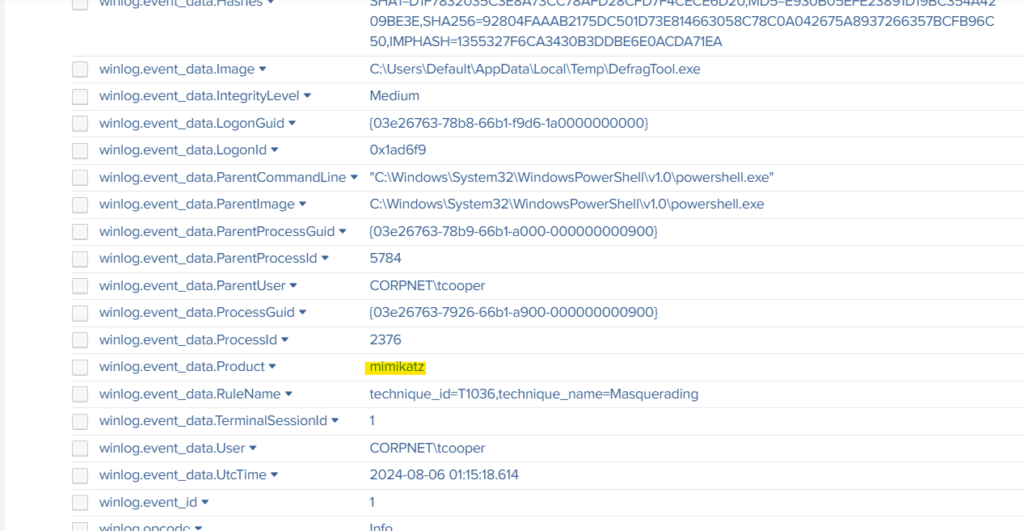
Question 6: What’s the tool used by the attacker for registering a rogue Domain Controller to manipulate Active Directory data?
In the same log from the previous questions, we find the tool used for registering a rogue DC.
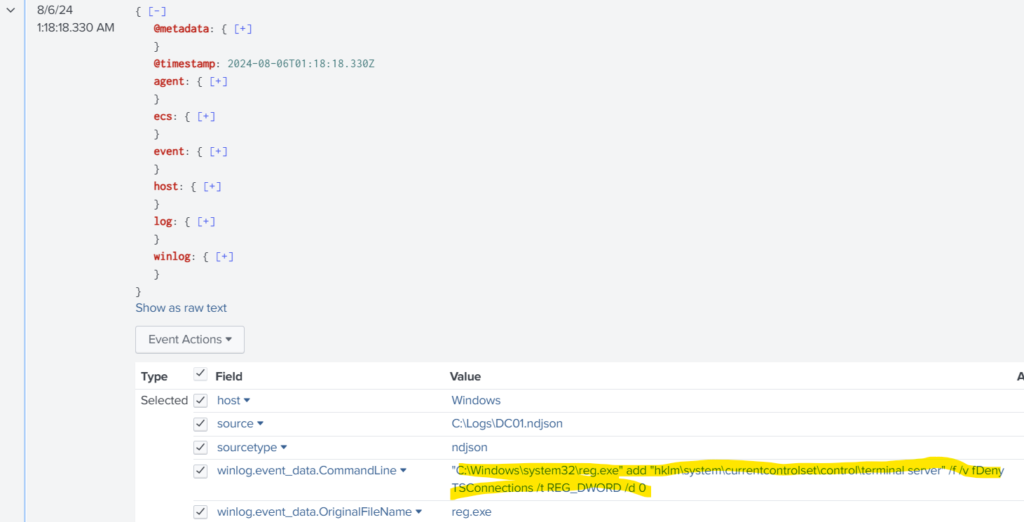
Question 7: What’s the first command used by the attacker for enabling RDP on remote machines for lateral movement?
For answering the question, I had to use the hint. Searching the log using the keyword *fDenyTSConnections*, we get the answer.
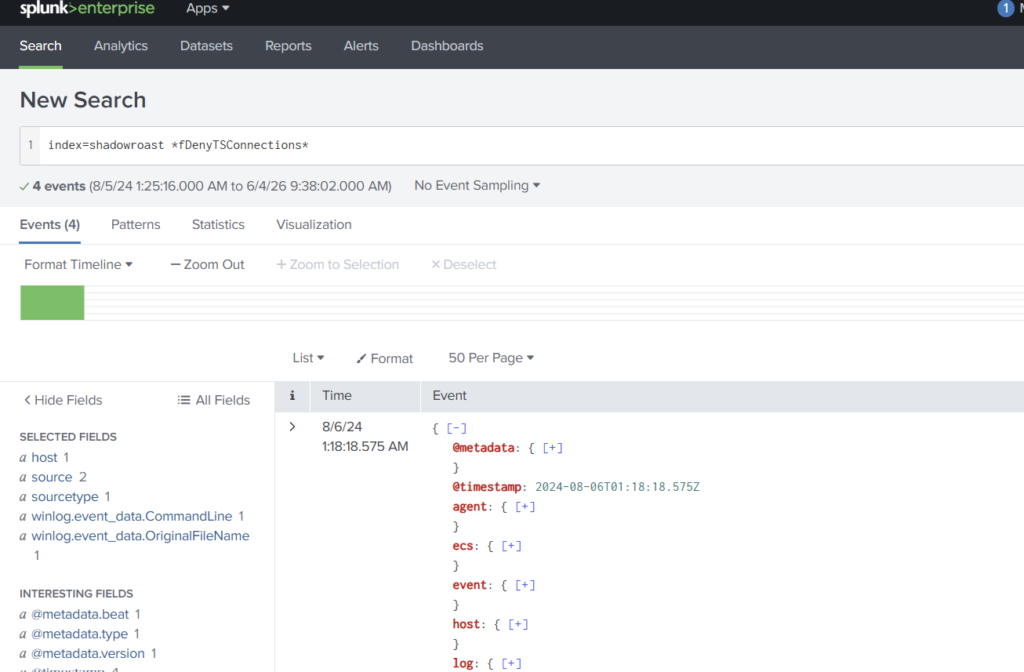
Look for the field winlog.event_data.CommandLine, we find the Command there.
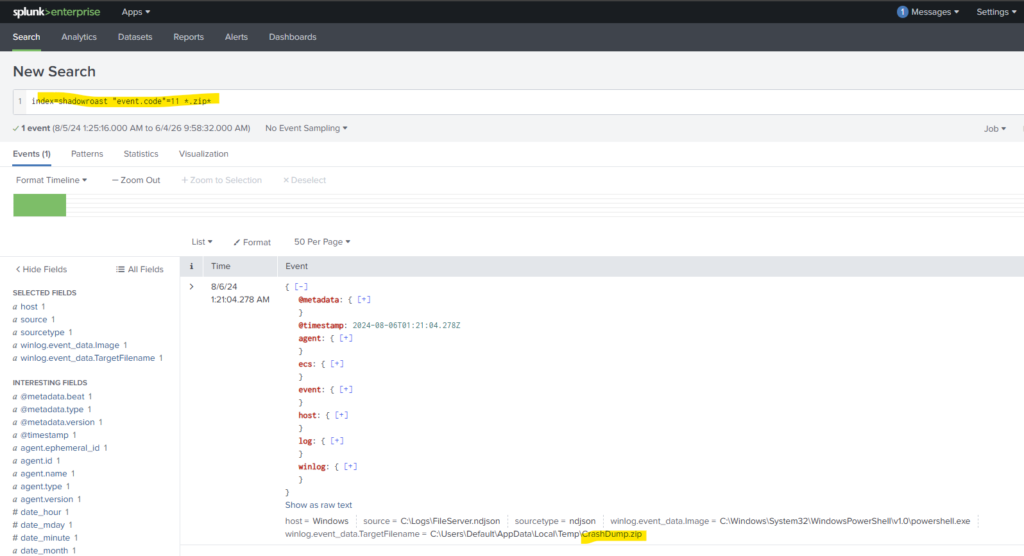
Question 8: What’s the file name created by the attacker after compressing confidential files?
Here we use the event code 11 to check for files which are newly created, and the file extension .zip
Conclusion
This lab was a little bit challenging in terms that I had to use the hint multiple times. However, if one understands the event codes and their uses, it becomes easy. Nevertheless, this exercise improved my threat hunting, log analysis, and incident response skills while reinforcing key blue team investigation techniques. And that is all for today. Thank you for reading this article. Adios!!!