Scenario
A company’s security team detected unusual network activity linked to a potential malware infection. As a forensic analyst, your mission is to investigate a memory dump, identify the malicious process, extract artifacts, and uncover Command and Control (C2) communications. Using Volatility3, analyze the attack, trace its origin, and provide actionable intelligence.
Questions
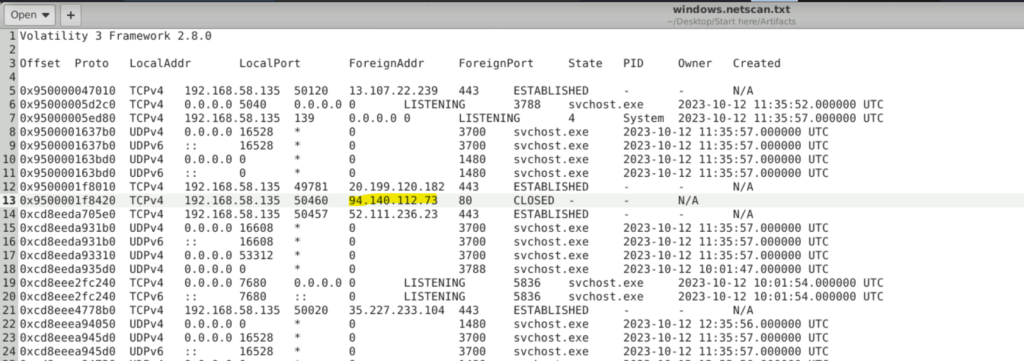
Question 1: Our first step is identifying the initial point of contact the malware made with an external server. Can you specify the first IP address the malware attempted to communicate with?
We are already provided with a text file which contains the output of windows.netscan plugin. I tried with all the possible ip’s and one of them is the correct answer.
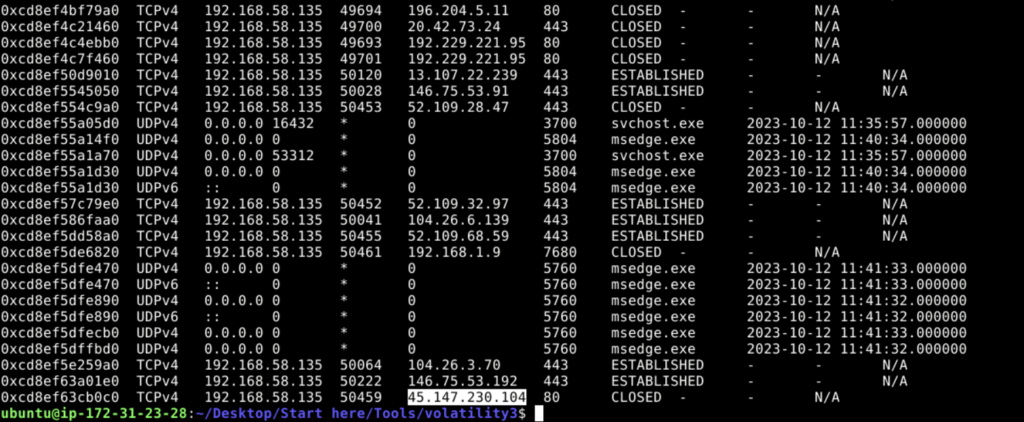
Question 2: We need to determine if the malware attempted to communicate with another IP. Which IP address did the malware attempt to communicate with again?
To answer this question, I tried with the IP’s in the text file but none of them worked. So I had to try the netscan plugin by myself and finally found the answer in the output.
Question 3: Identifying the process responsible for this suspicious behavior helps reconstruct the sequence of events leading to the execution of the malware and its source. What is the name of the process that initiated the malware?
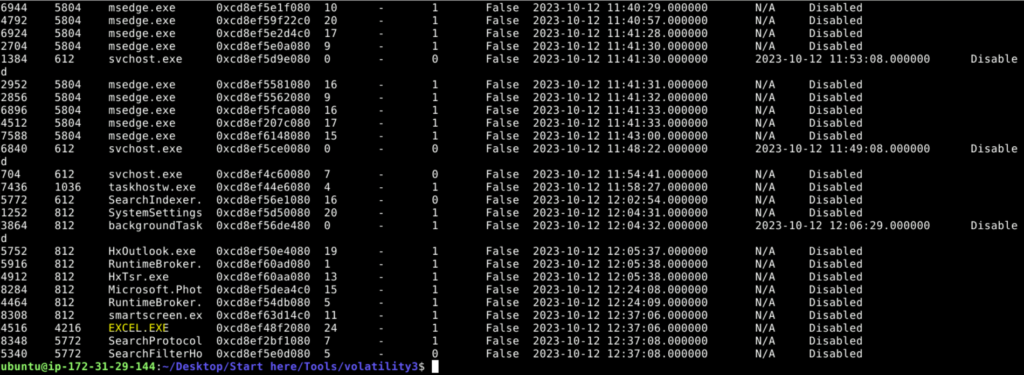
When we perform the windows.pslist plugin we get a list of ImageFileName’s.
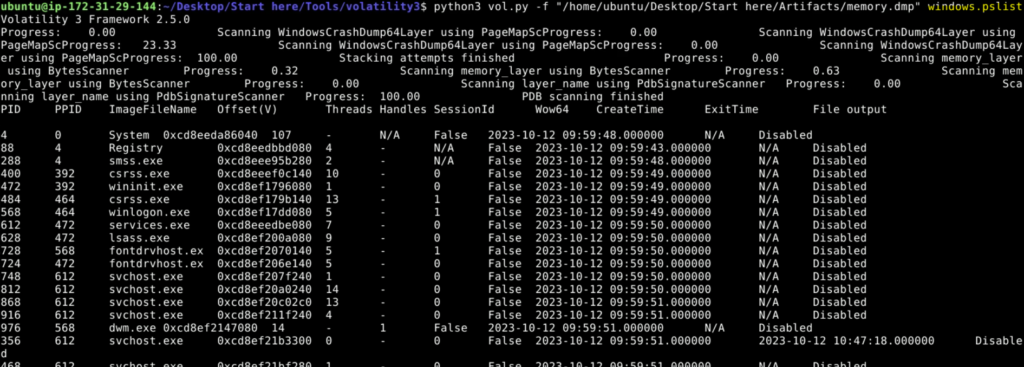
Among them we see an unusual name- EXCEL.EXE
Question 4: The malware’s file name is crucial for further forensic analysis and extracting the malware. Can you provide its file name?
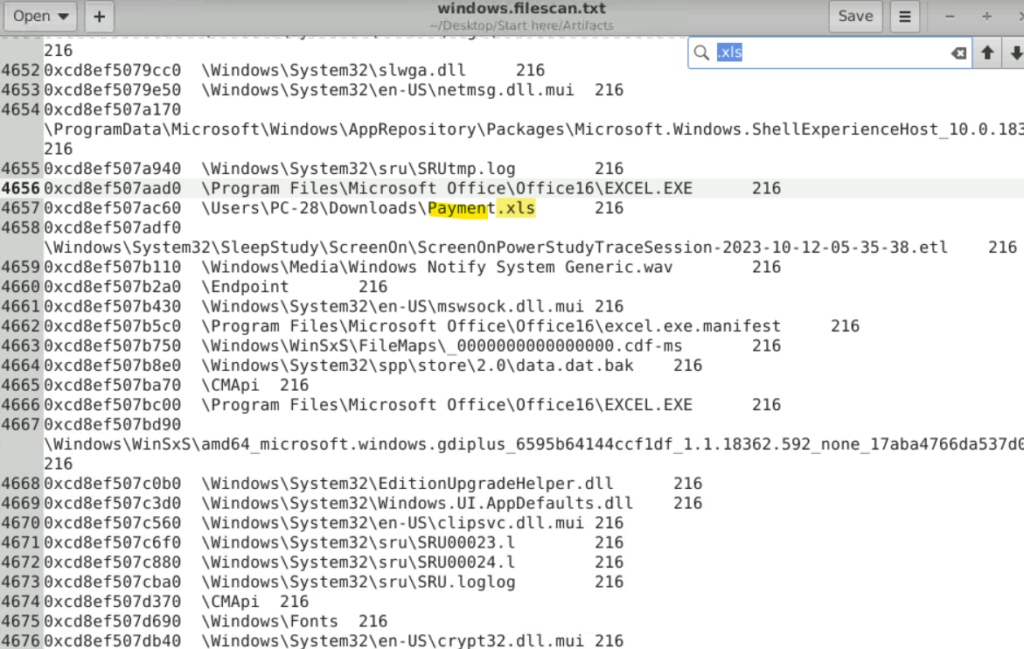
I was searching blindly the malicious file. Finally I had to take help of the hint which mentions to look for files with .xls as the process that initiated the malicious file is EXCEL.EXE
Question 5: Hashes are like digital fingerprints for files. Once the hash is known, it can be used to scan other systems within the network to identify if the same malicious file exists elsewhere. What is the SHA256 hash of the malware?
We take the virtual address of the malicious excel file and the use the windows.dumpfiles plugin. This will help us dump the file to our local system.

Now use the sha256 command to get the file hash.

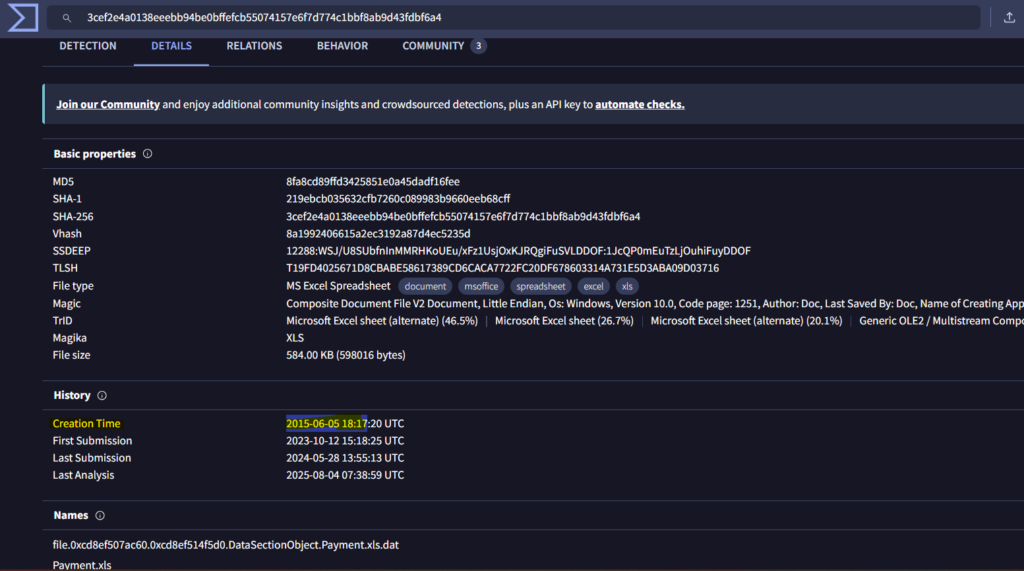
Question 6: To trace the origin of the malware and understand its development timeline, can you provide the UTC creation time of the malware file?
Searching the VirusTotal for the hash, we find the file creation time in the Details tab.
Conclusion
This was a very easy lab and knowing which volatility3 plugin to use will be enough to solve the lab. See ya next time!!