Scenario
A finance company’s Azure environment has flagged multiple failed login attempts from an unfamiliar geographic location, followed by a successful authentication. Shortly after, logs indicate access to sensitive Blob Storage files and a virtual machine start action. Investigate authentication logs, storage access patterns, and VM activity to determine the scope of the compromise.
Questions
Question 1: As a US-based company, the security team has observed significant suspicious activity from an unusual country. What is the name of the country from which the attack originated?
Step 1: Open the ELK Stack.
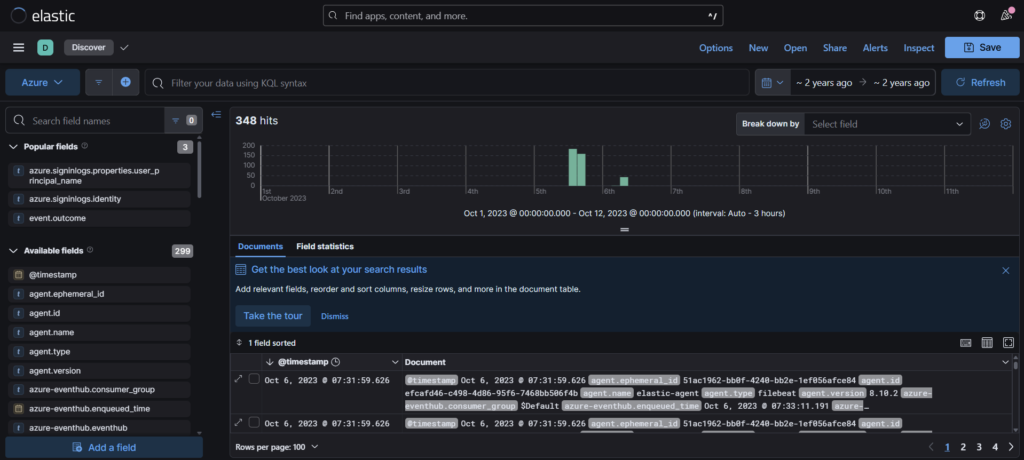
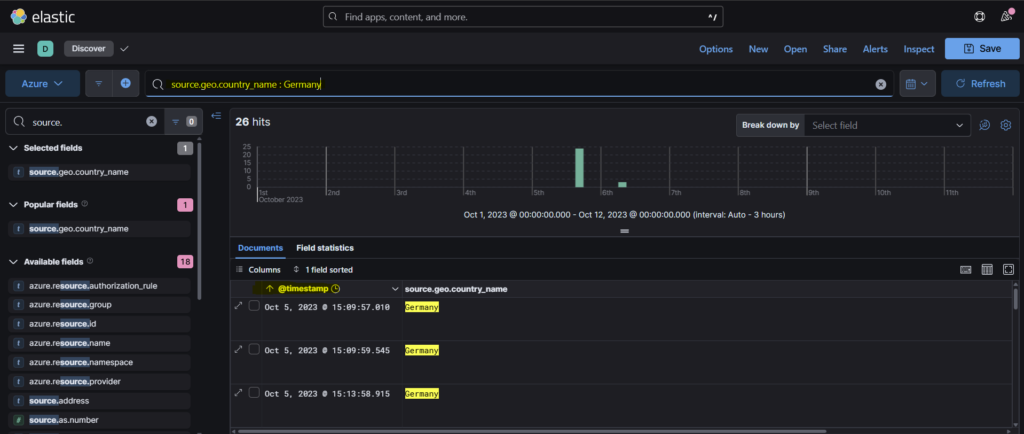
Step 2: We can filter the events using the field source.geo.country_name from the Available fields column.
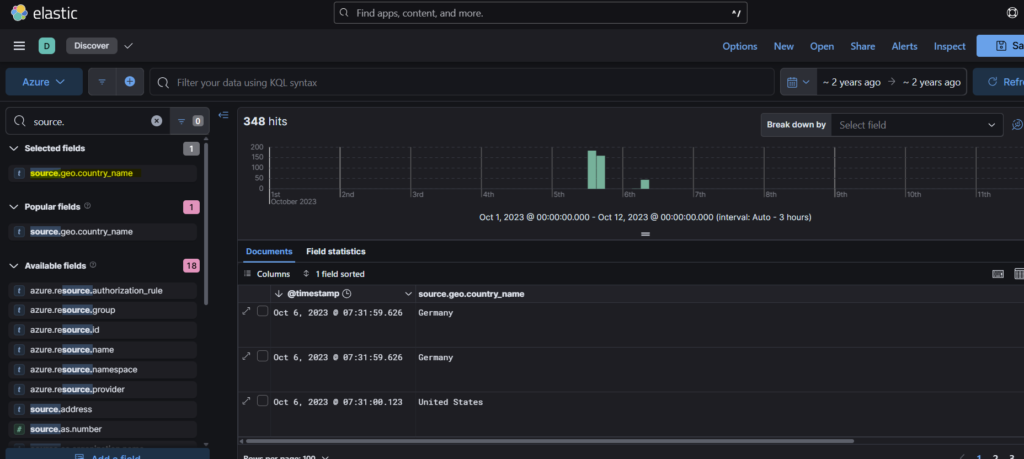
Step 3: We see that Germany is the country other than US and that is our answer.
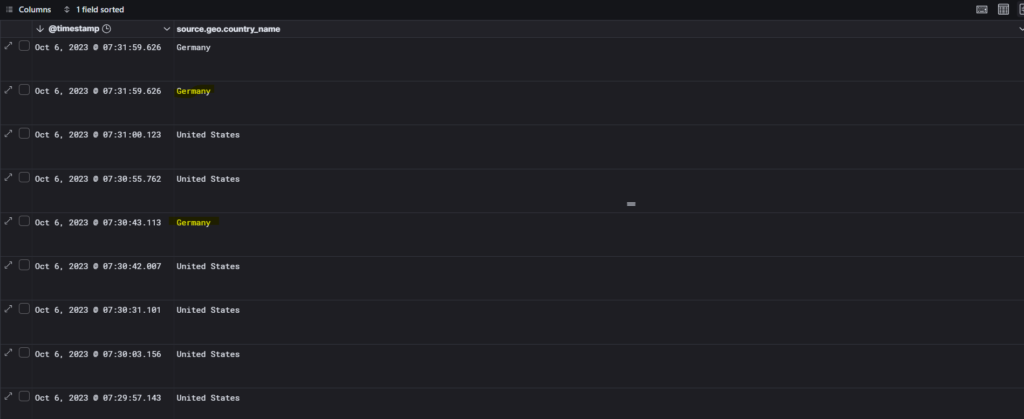
Question 2: To establish an accurate incident timeline, what is the timestamp of the initial activity originating from the country?
Step 1: We can use the filter from the previous question and sort the events from old to new so as to get the timestamp of the initial activity.
Question 3: To assess the scope of compromise, we must determine the attacker’s entry point. What is the display name of the compromised user account?
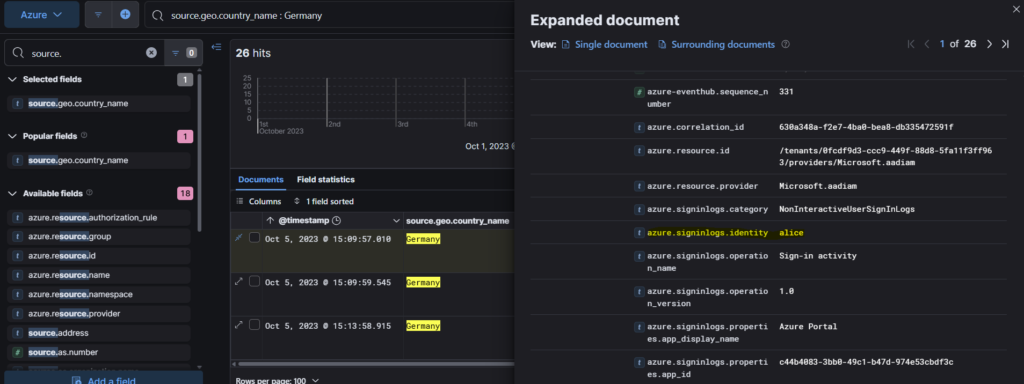
We can select the first event from the previous answer, scrolling down the pane we find the answer in azure.signlogs.identity field as Alice.
Question 4: To gain insights into the attacker’s tactics and enumeration strategy, what is the name of the script file the attacker accessed within blob storage?
I had some trouble answering this question and had to look at the hint for guidance.
Step 1: According to the hint, we can filter the events table with azure.eventhub.category and azure.eventhub.operationName.
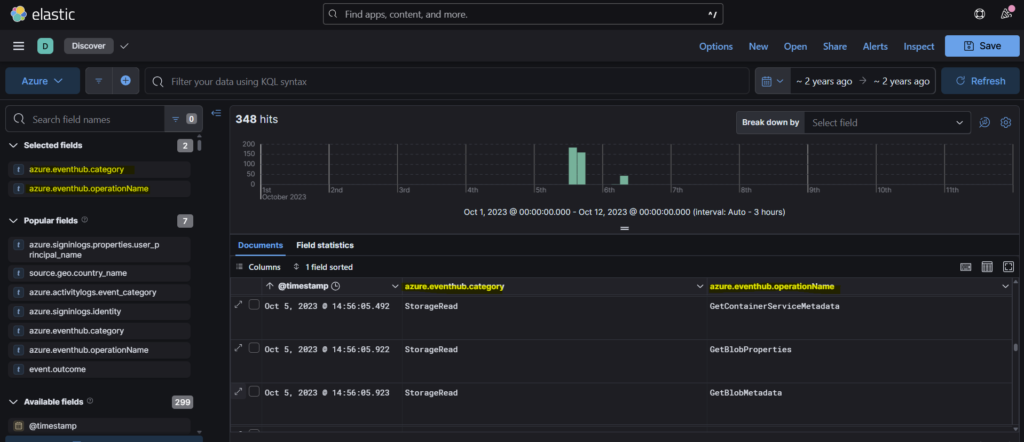
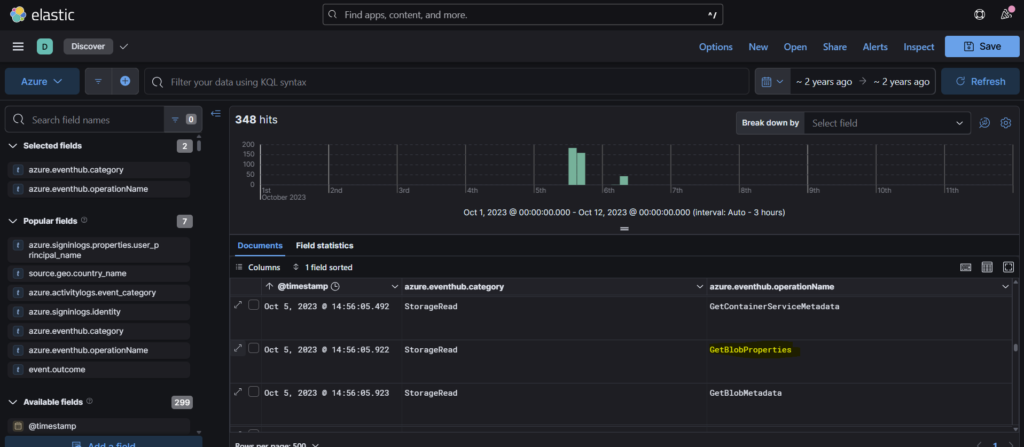
Step 2: We must select the operationname GetBlobProperties since we are investigating how the attacker accessed blob storage.
Step 3: Once we expand the event, in the azure.eventhub.properties.objectKey we can find the script service-config.ps1 which is the answer.
Question 5: For a detailed analysis of the attacker’s actions, what is the name of the storage account housing the script file?
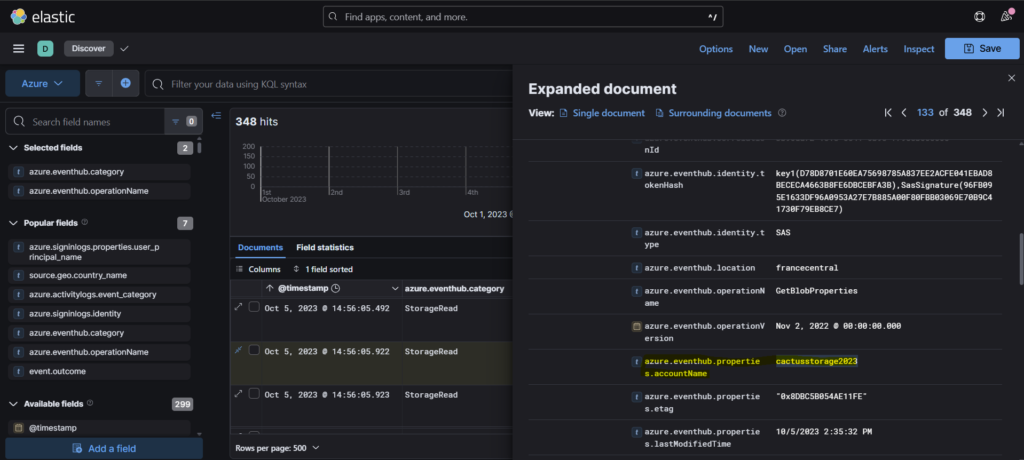
Scrolling down a bit in the same event, we find the name of the storage account that is cactusstorage2023.
Question 6: Tracing the attacker’s movements across our infrastructure, what is the User Principal Name (UPN) of the second user account the attacker compromised?
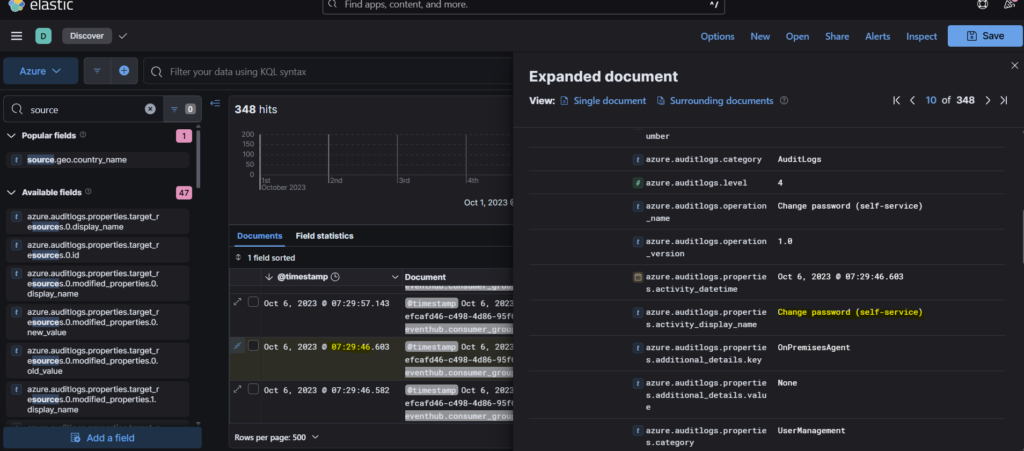
Step 1: So we need to follow the compromised account to understand the attacker’s movements. In this case we see that at 07:29:46, the azure activity was Change Password.
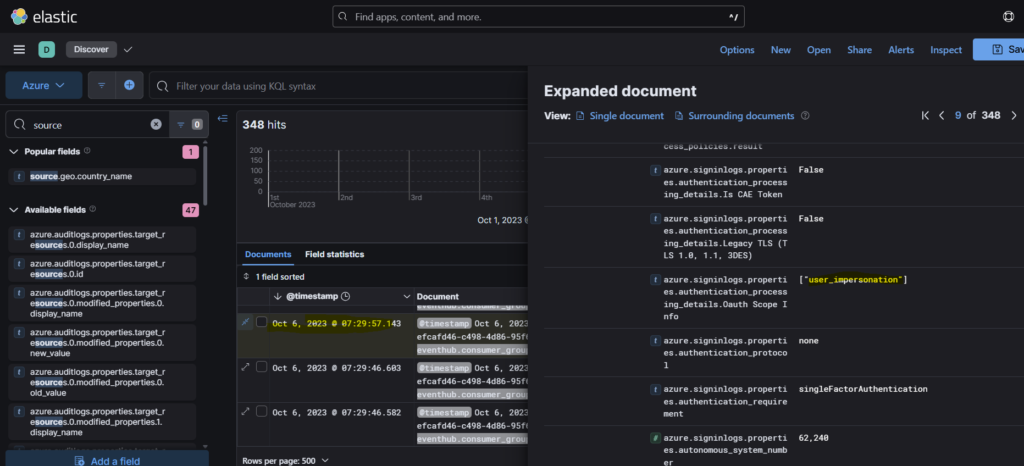
Step 2: In the next event at 07:29:57, we see that the authentication processing details is User Impersonation.
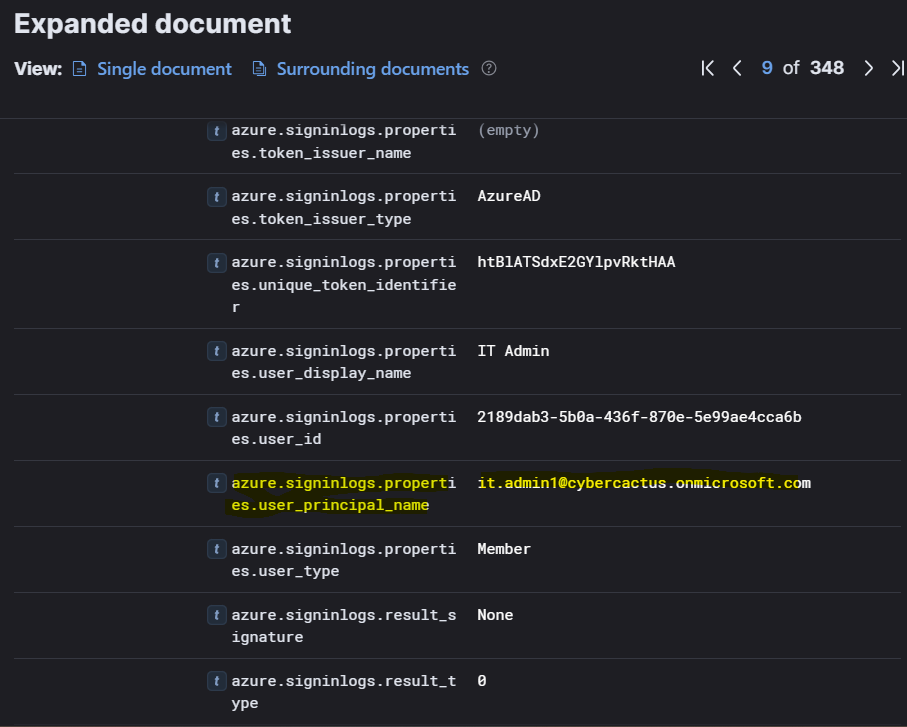
Step 3: Scrolling down, we see that the user principal name is it.admin1@cybercactus.onmicrosoft.com
Question 7: Analyzing the attacker’s impact on our environment, what is the name of the Virtual Machine (VM) the attacker started?
Step 1: We can filter the events with event.action parameter. This will help us get the event related to the use of virtual machine by the attacker.
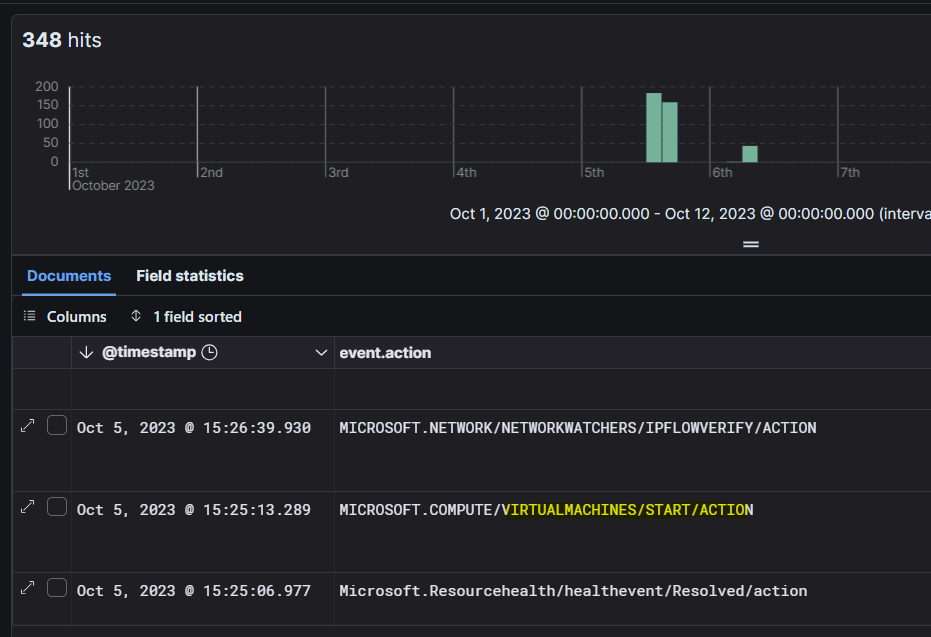
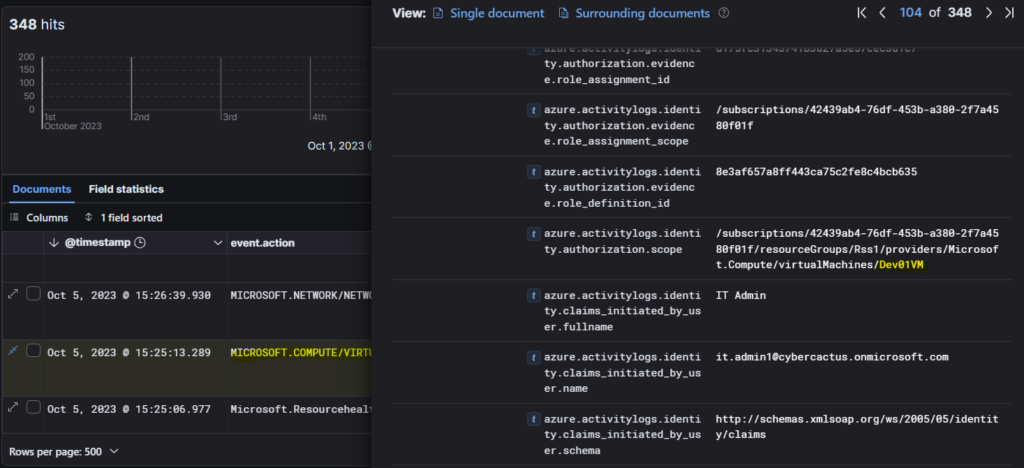
Step 2: Expanding the event, we see under the azure activitylogs scope, it is Dev01VM which is the name of the Virtual machine.
Question 8: To assess the potential data exposure, what is the name of the database exported?
Step 1: In similar way as the previous question, we can find the database used.
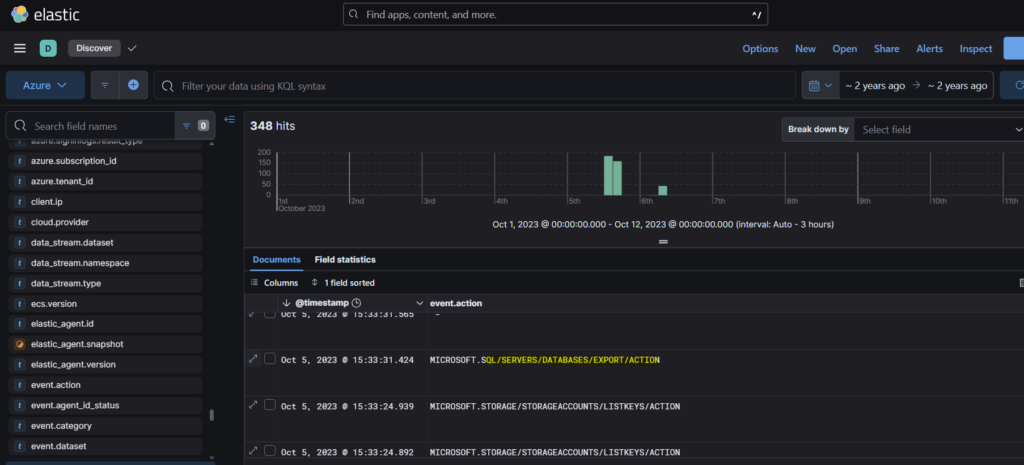
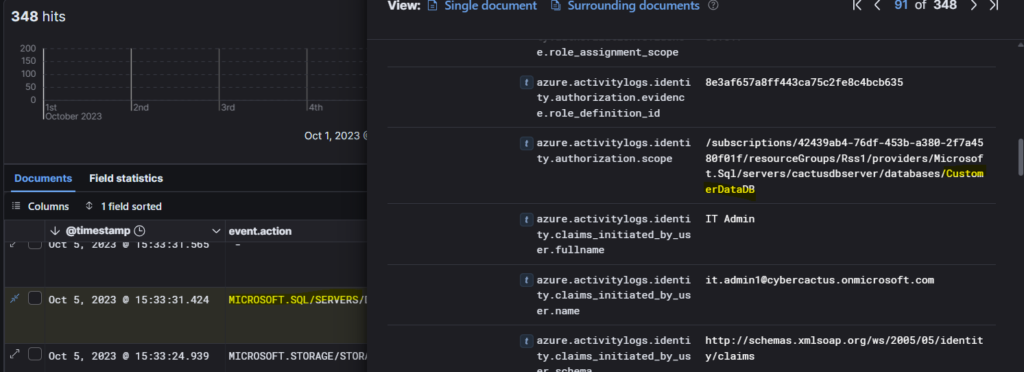
Step 2: We can see the name of the database under the authorization scope as CustomerDataDB
Question 9: In our pursuit of uncovering persistence techniques, what is the display name associated with the user account you have discovered?
After accessing the database, the attacker has added a new user as a means of persistence mechanism.
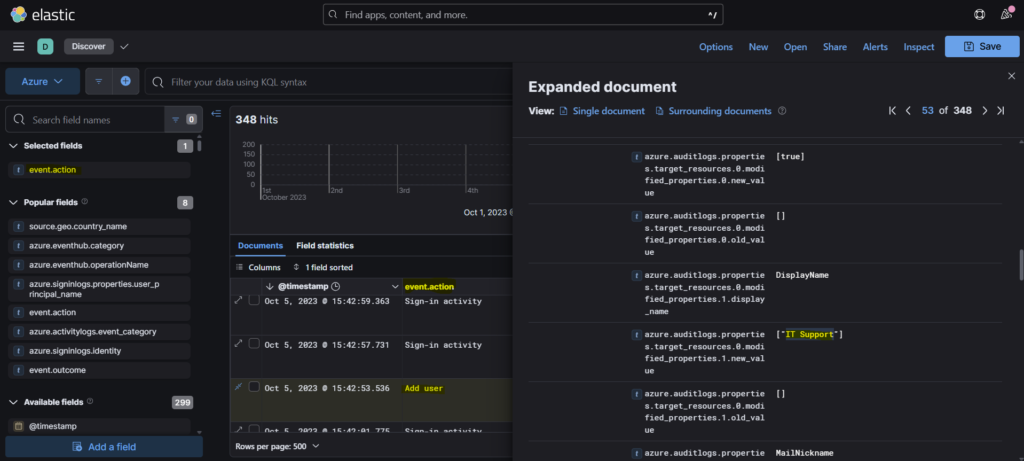
Question 10: The attacker utilized a compromised account to assign a new role. What role was granted?
This question was also difficult to answer for me and so I had to look at the hint to get an idea on how to proceed.
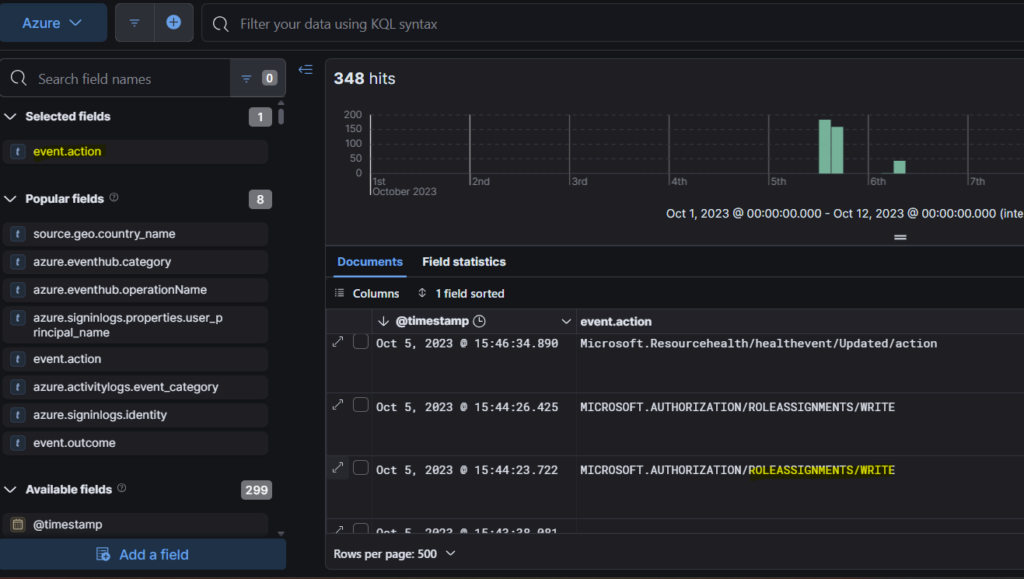
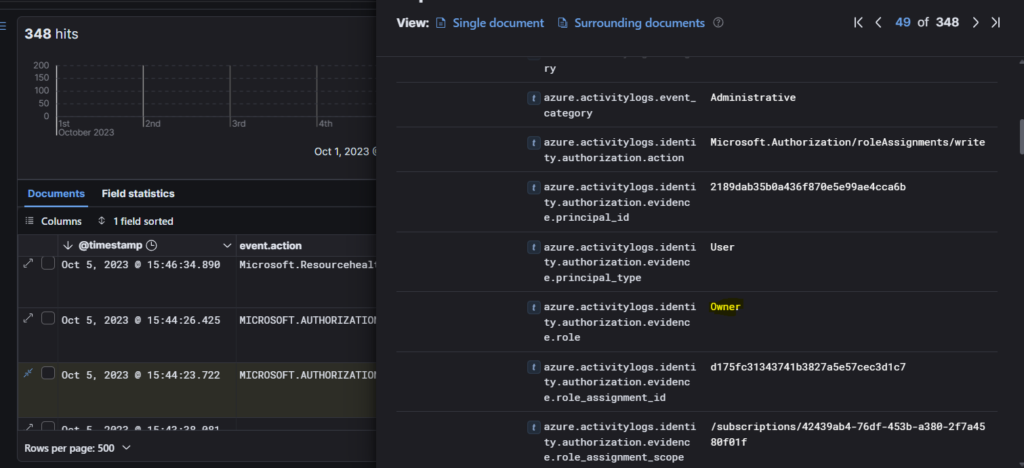
Step 1: Continuing from the previous question, if we go further down, we will see an event- ROLEASSIGNMENTS/WRITE. This role usually means assignment of a new role.
Step 2: Expanding the event, we find the new role that was granted to the attacker- Owner.
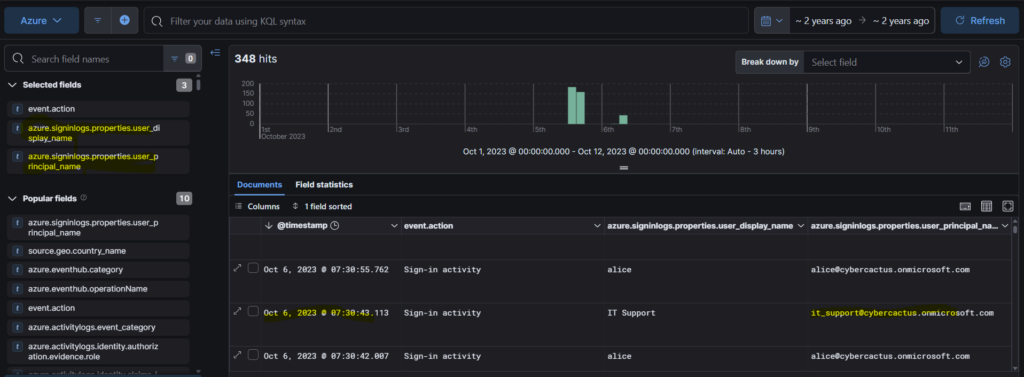
Question 11: For a comprehensive timeline and understanding of the breach progression, What is the timestamp of the first successful login recorded for this user account?
This question was also challenging since it put me in wrong direction. I started going through the events looking for Owner user. I had to check the hints and it asked me to look for sig-in activity for the newly created user in Azure sign-in logs.
Conclusion
Phew! This lab was a little bit challenging. I had to spend some time to complete it. But it was worth exploring a bit of ELK. It deepened my understanding on how to dig up the attack methods and stitch together the timeline of the events to get a full view of what really happened. Signing off for today. See you all with a new lab. Bye!!